
2005 Harley-Davidson CVO Street Glide
Android Auto, CarPlay & Streaming Apps for 2005 Harley-Davidson CVO Street Glide
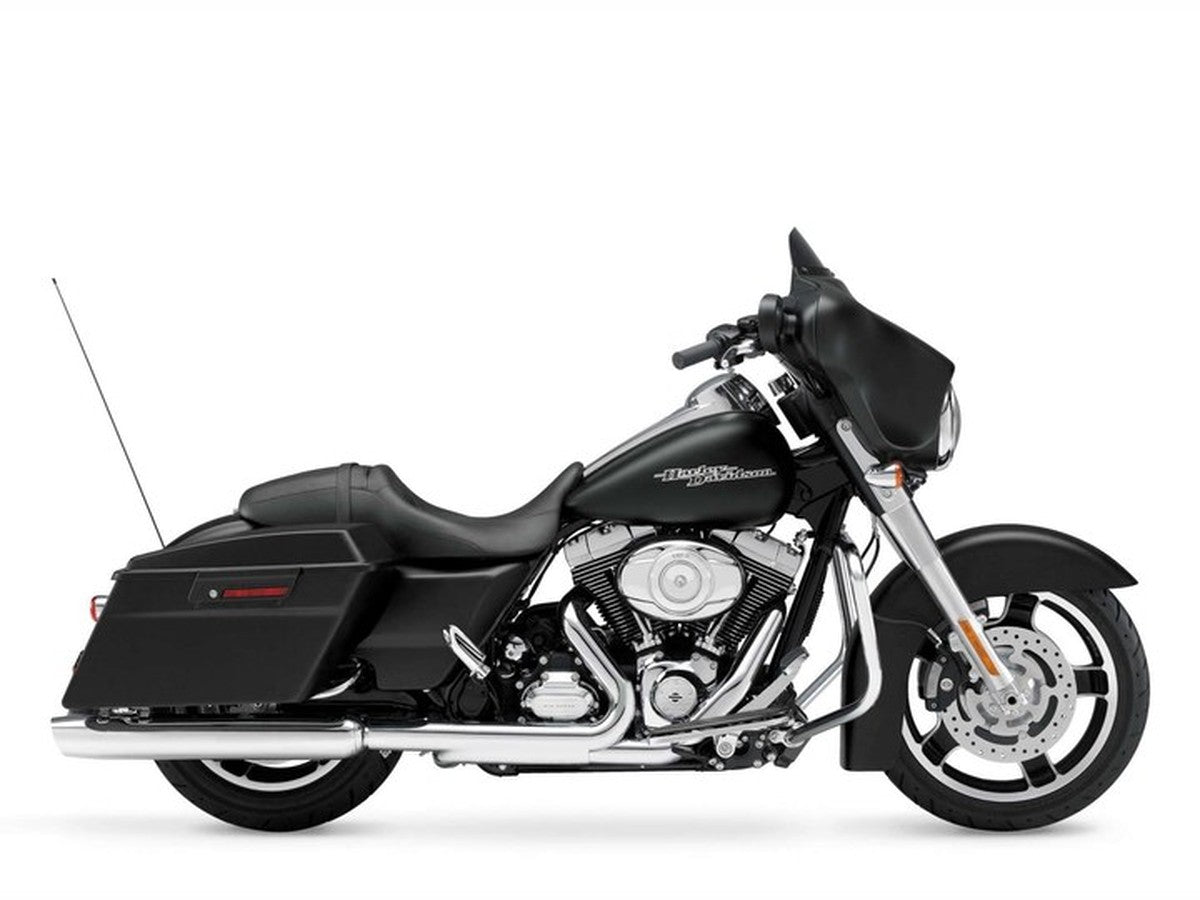
| Factory code | FLHXSE |
|---|---|
| Engine | Twin Cam 88 |
| Factory radio | factory touring radio (1999–2005) |
| Factory CarPlay / Android Auto | None from factory — add via an aftermarket radio |
| Factory USB | None (AUX input only) |
The 2005 CVO Street Glide was the final model year to carry the original base AM/FM radio before Harley moved to Harman/Kardon Advanced Audio the following year. That last-generation base radio still has no Apple CarPlay, no Android Auto, and no display beyond tuning. HogPlay's aftermarket CarPlay radio swap gives 2005 owners the same wireless phone access newer touring bikes get, without waiting on a factory upgrade that never came to this radio.
No Factory CarPlay — Add It Your Way
The 2005 Harley-Davidson CVO Street Glide shipped with the factory factory touring radio (1999–2005) — a solid unit in its day, but no Apple CarPlay, Android Auto or touchscreen. Fit an aftermarket CarPlay radio (SoundStream, Rockford Fosgate, Boss, Diamond Audio or Aquatic AV) for wireless Apple CarPlay — SoundStream, Boss and Diamond Audio include Android Auto natively, while Rockford Fosgate and Aquatic AV gain it once you add a HogPlay Media Box or Piglet, which also unleash Netflix, YouTube, streaming apps, Mirror Link and AirPlay. No headset bypass needed — that's a factory-radio thing, not aftermarket. Rather not swap the radio? A bar-mounted HogPlay Media Screen adds wireless CarPlay and Android Auto too.
We also stock universal parts that fit the 2005 Harley-Davidson CVO Street Glide and most other motorcycles — standalone CarPlay screens and universal USB power.
Universal parts that fit 2005 Harley-Davidson CVO Street Glide and most other motorcycles
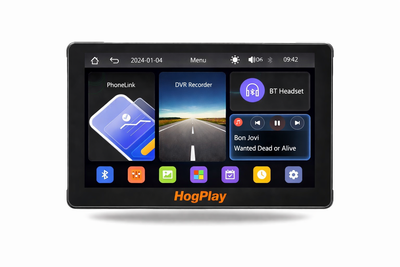 ✓ Universal fitHogPlay 7" Motorcycle Touchscreen - Wireless CarPlay, Android Auto & Screen Mirror with DVR Dash Cam
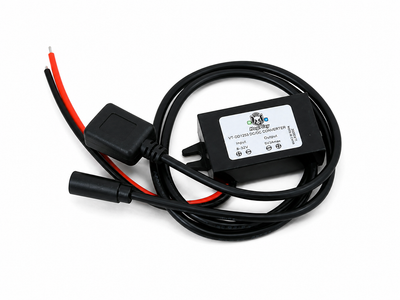
 ✓ Universal fitHogPlay Motorcycle Media Box Power Boost Cable - USB-C✓ Universal fitHogPlay Motorcycle Media Box Power Boost Cable - USB-A
 ✓ Universal fitHogPlay Universal Motorcycle USB Charging Ports - USB-A & USB-C (Harley-Davidson, Indian, Goldwing)
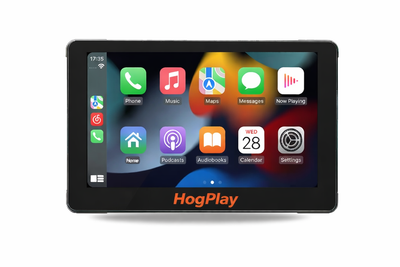 ✓ Universal fitHogPlay 7" Motorcycle Touchscreen - Wireless CarPlay, Android Auto & Screen Mirroring
About the 2005 Harley-Davidson CVO Street Glide
As the last year of the base radio before Harley's 2006 audio upgrade, the 2005 Street Glide's fairing electronics are simple by design, AM/FM only, with no support for apps, maps, or phone pairing.
Since there's no factory bridge to CarPlay or Android Auto on this radio, the practical move is swapping in an aftermarket CarPlay unit built for the stock fairing. Boss and Aquatic AV both offer radios sized correctly here, most with wireless Apple CarPlay and Android Auto included.
Pair that new radio with a HogPlay Media Box to unlock Netflix, YouTube, YouTube Music, and podcasts from an SD card or USB drive, no phone data burned. A HogPlay USB Piglet covers Mirror Link and AirPlay mirroring, or skip the radio swap altogether with a bar-mounted HogPlay Media Screen.
2005 Harley-Davidson CVO Street Glide CarPlay & Android Auto — FAQ
Does the 2005 Harley-Davidson CVO Street Glide support wireless Apple CarPlay and Android Auto?
The 2005 Harley-Davidson CVO Street Glide came with the Harley-Davidson factory touring radio (1999–2005), which sounded good in its day but has no Apple CarPlay or Android Auto. HogPlay adds both: a bar-mounted HogPlay Media Screen with wireless CarPlay and Android Auto built in, or an aftermarket CarPlay radio paired with a HogPlay Media Box or Piglet for Android Auto and apps.
How do I get wireless Android Auto on the 2005 Harley-Davidson CVO Street Glide?
Two ways to get Android Auto on the 2005 Harley-Davidson CVO Street Glide: fit a bar-mounted HogPlay Media Screen, which has wireless Android Auto and Apple CarPlay built in; or add an aftermarket CarPlay radio and pair it with a HogPlay Media Box or Piglet for Android Auto and streaming apps.
What apps and streaming can I run on the 2005 Harley-Davidson CVO Street Glide?
On an aftermarket radio, a HogPlay Media Box adds Android Auto plus Netflix, YouTube, maps and music, and a Piglet adds wireless CarPlay and Android Auto in a smaller package; or a bar-mounted HogPlay Media Screen does it all in one unit, no radio swap needed.
Is the HogPlay install on the 2005 Harley-Davidson CVO Street Glide plug-and-play and reversible?
Yes. Every HogPlay upgrade for the 2005 Harley-Davidson CVO Street Glide is true plug-and-play — a simple electrical connection with no cutting, splicing or flashing, and it's fully reversible. Setup is easy; exactly how you reach the connector varies by bike (USB adaptors plug straight in, while some radio-mounted bypasses need brief fairing or radio access).
Do I need a bypass to add Android Auto to the 2005 Harley-Davidson CVO Street Glide?
No bypass applies — the 2005 Harley-Davidson CVO Street Glide Harley-Davidson factory touring radio (1999–2005) has no Apple CarPlay to unlock. Add Android Auto with a bar-mounted HogPlay Media Screen (wireless Android Auto and Apple CarPlay built in), or an aftermarket CarPlay radio paired with a HogPlay Media Box or Piglet.
Which HogPlay parts fit the 2005 Harley-Davidson CVO Street Glide?
For the 2005 Harley-Davidson CVO Street Glide the fits are a bar-mounted HogPlay Media Screen (all-in-one), or a HogPlay Media Box or Piglet added to an aftermarket CarPlay radio. Confirm the exact set for your bike with What Fits.
For the 2005 Harley-Davidson CVO Street Glide, is a Media Box or a Piglet the better pick?
On the 2005 Harley-Davidson CVO Street Glide, the HogPlay Media Box is the full media center (Android Auto, CarPlay, Netflix, YouTube, maps) for an aftermarket radio, while the Piglet is a pocket-size USB adaptor for wireless Android Auto and CarPlay. For one box with no radio swap, the bar-mounted HogPlay Media Screen has both built in.
Is Android Auto on the 2005 Harley-Davidson CVO Street Glide wireless?
Yes — whether through a HogPlay Media Screen or a HogPlay Media Box or Piglet on an aftermarket radio, Android Auto on the 2005 Harley-Davidson CVO Street Glide is fully wireless.
HogPlay Media Boxes work on Diamond Audio, Boss Audio, Rockford Fosgate, SoundStream and Aquatic AV aftermarket radios to unlock apps, streaming and more — it's not just for factory screens. Running an aftermarket head unit? See the matching aftermarket radio pages.
Android Auto on the 2005 Harley-Davidson CVO Street Glide: HogPlay makes the 2005 Harley-Davidson CVO Street Glide run wireless Android Auto and Apple CarPlay — compare every Android Auto option that fits the 2005 Harley-Davidson CVO Street Glide, then confirm your exact fit with What Fits.
← More 2005 Harley-Davidson models · Android Auto for Harley-Davidson → · Find parts for another motorcycle · See the factory touring radio (1999–2005) radio →
