
2018 Harley-Davidson Street Glide Anniversary
Android Auto, CarPlay & Streaming Apps for 2018 Harley-Davidson Street Glide Anniversary
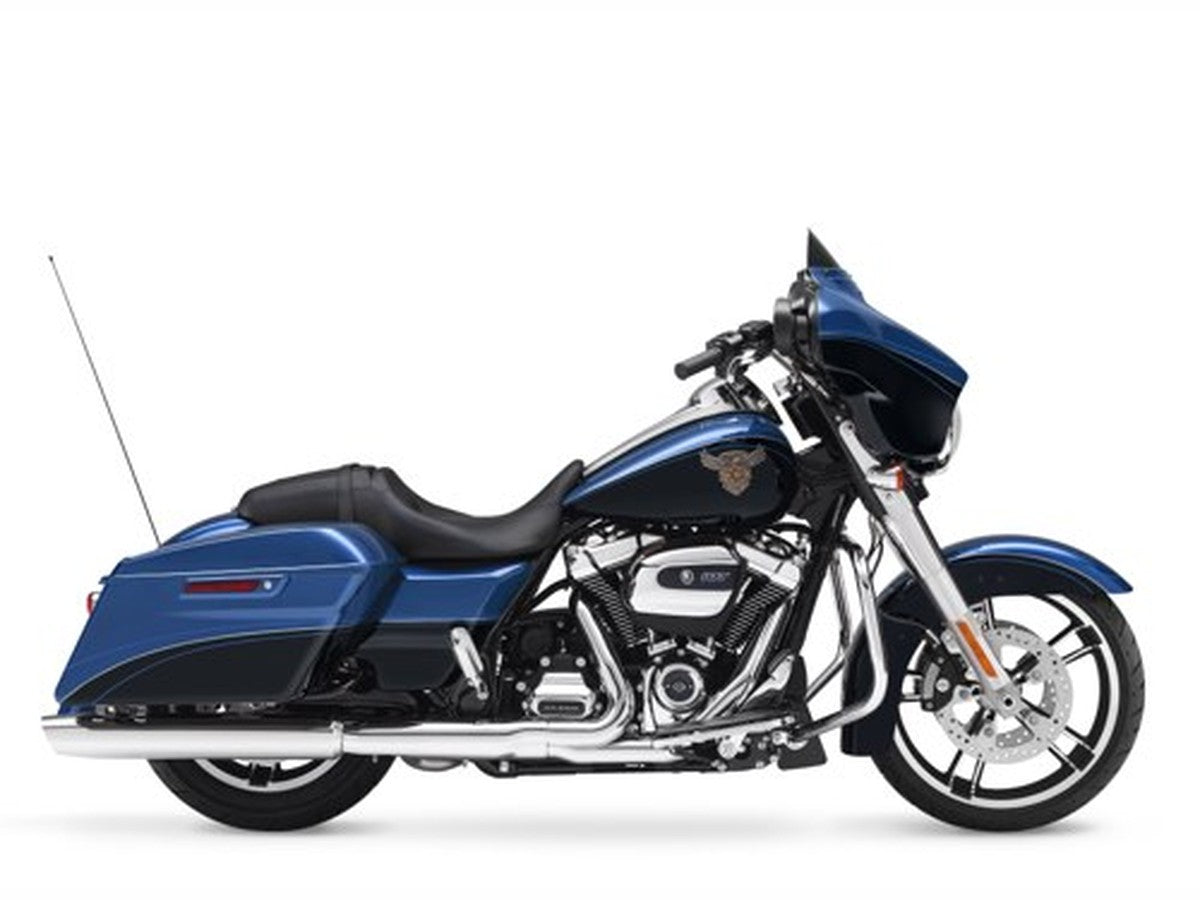
| Factory code | FLHXSANV |
|---|---|
| Engine | Milwaukee-Eight 107 |
| Factory radio | Boom! Box 4.3 |
| Factory CarPlay / Android Auto | None from factory — add via an aftermarket radio or a GTS swap |
| Factory USB | USB-A (media / charge only) |
The 2018 Street Glide Anniversary dressed Harley's batwing-faired tourer in special-edition trim for the brand's 115th year, riding on the same Milwaukee-Eight Street Glide platform riders already trust for long days in the saddle. Its factory Boom! Box 4.3 was a solid AM/FM/Bluetooth-audio unit for its era, but it's a fixed, non-touch head unit with no Apple CarPlay and no Android Auto built in. HogPlay gives this anniversary Glide a path to wireless CarPlay and Android Auto without hunting down a discontinued factory part.
No Factory CarPlay — GTS Swap or Aftermarket
The 2018 Harley-Davidson Street Glide Anniversary ran the factory Boom! Box 4.3 — no factory CarPlay or Android Auto. Two ways to add it: swap to a 2019–2023 Boom! Box GTS and add a HogPlay GTS Bypass for wireless CarPlay, or fit an aftermarket CarPlay radio (SoundStream, Rockford Fosgate, Boss, Diamond Audio, Aquatic AV). Either way a HogPlay Media Box or Piglet adds Android Auto — a Media Box also unlocks Netflix, YouTube and streaming, and a Piglet adds Mirror Link and AirPlay. No headset bypass required.
We also stock universal parts that fit the 2018 Harley-Davidson Street Glide Anniversary and most other motorcycles — standalone CarPlay screens and universal USB power.
Universal parts that fit 2018 Harley-Davidson Street Glide Anniversary and most other motorcycles
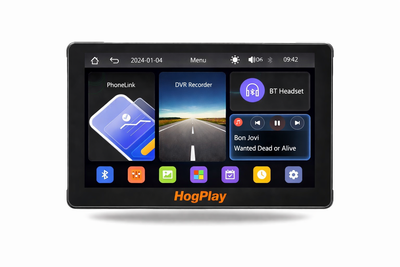 ✓ Universal fitHogPlay 7" Motorcycle Touchscreen - Wireless CarPlay, Android Auto & Screen Mirror with DVR Dash Cam
 ✓ Universal fitHogPlay Motorcycle Media Box Power Boost Cable - USB-C✓ Universal fitHogPlay Motorcycle Media Box Power Boost Cable - USB-A
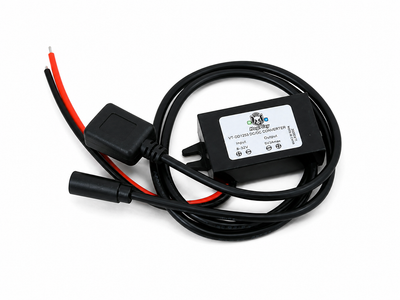 ✓ Universal fitHogPlay Universal Motorcycle USB Charging Ports - USB-A & USB-C (Harley-Davidson, Indian, Goldwing)
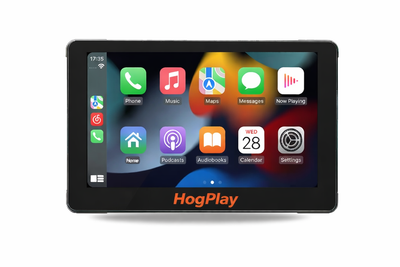 ✓ Universal fitHogPlay 7" Motorcycle Touchscreen - Wireless CarPlay, Android Auto & Screen Mirroring
About the 2018 Harley-Davidson Street Glide Anniversary
The 2018 Street Glide Anniversary pairs commemorative badging and paint with the same touring-focused chassis and stereo-forward cockpit that made the Street Glide a favorite for interstate miles. The factory Boom! Box 4.3 that came with it handled Bluetooth audio and calls well enough at the time, but turn-by-turn navigation, voice-to-text and app-based media all still have to route through a phone propped in a mount — there's no Apple CarPlay or Android Auto on board.
Riders closing that gap on this bike generally take one of two roads. The first is dropping in a dedicated aftermarket CarPlay head unit from a brand like SoundStream or Rockford Fosgate; most arrive with wireless Apple CarPlay and Android Auto already onboard, so there's no separate bypass to add on that path. The second is swapping the factory 4.3 for a 2019-2023 Boom! Box GTS unit and adding a HogPlay CarPlay bypass adaptor, which unlocks the GTS's factory CarPlay and USB port (Android Auto still needs to come from elsewhere on that route).
Once a new radio is in, a HogPlay Media Box layers in Android Auto plus Netflix, YouTube, YouTube Music and podcast streaming, playing off an SD card or USB drive with no phone data used. Prefer a simpler plug-in over a screen swap? A HogPlay USB Piglet adds Android Auto plus AirPlay and Mirror Link screen mirroring in a small inline adaptor. A HogPlay Media Screen is also an option for a bar-mounted second display, though on a bike that already carries a head unit like the 4.3, most riders find upgrading the radio itself the more direct route.
2018 Harley-Davidson Street Glide Anniversary CarPlay & Android Auto — FAQ
Does the 2018 Harley-Davidson Street Glide Anniversary support wireless Apple CarPlay and Android Auto?
The 2018 Harley-Davidson Street Glide Anniversary came with the Harley-Davidson Boom! Box 4.3, which sounded good in its day but has no Apple CarPlay or Android Auto. HogPlay adds both: a bar-mounted HogPlay Media Screen with wireless CarPlay and Android Auto built in, or an aftermarket CarPlay radio paired with a HogPlay Media Box or Piglet for Android Auto and apps.
How do I get wireless Android Auto on the 2018 Harley-Davidson Street Glide Anniversary?
Two ways to get Android Auto on the 2018 Harley-Davidson Street Glide Anniversary: fit a bar-mounted HogPlay Media Screen, which has wireless Android Auto and Apple CarPlay built in; or add an aftermarket CarPlay radio and pair it with a HogPlay Media Box or Piglet for Android Auto and streaming apps.
What apps and streaming can I run on the 2018 Harley-Davidson Street Glide Anniversary?
On an aftermarket radio, a HogPlay Media Box adds Android Auto plus Netflix, YouTube, maps and music, and a Piglet adds wireless CarPlay and Android Auto in a smaller package; or a bar-mounted HogPlay Media Screen does it all in one unit, no radio swap needed.
Is the HogPlay install on the 2018 Harley-Davidson Street Glide Anniversary plug-and-play and reversible?
Yes. Every HogPlay upgrade for the 2018 Harley-Davidson Street Glide Anniversary is true plug-and-play — a simple electrical connection with no cutting, splicing or flashing, and it's fully reversible. Setup is easy; exactly how you reach the connector varies by bike (USB adaptors plug straight in, while some radio-mounted bypasses need brief fairing or radio access).
Do I need a bypass to add Android Auto to the 2018 Harley-Davidson Street Glide Anniversary?
No bypass applies — the 2018 Harley-Davidson Street Glide Anniversary Harley-Davidson Boom! Box 4.3 has no Apple CarPlay to unlock. Add Android Auto with a bar-mounted HogPlay Media Screen (wireless Android Auto and Apple CarPlay built in), or an aftermarket CarPlay radio paired with a HogPlay Media Box or Piglet.
Which HogPlay parts fit the 2018 Harley-Davidson Street Glide Anniversary?
For the 2018 Harley-Davidson Street Glide Anniversary the fits are a bar-mounted HogPlay Media Screen (all-in-one), or a HogPlay Media Box or Piglet added to an aftermarket CarPlay radio. Confirm the exact set for your bike with What Fits.
For the 2018 Harley-Davidson Street Glide Anniversary, is a Media Box or a Piglet the better pick?
On the 2018 Harley-Davidson Street Glide Anniversary, the HogPlay Media Box is the full media center (Android Auto, CarPlay, Netflix, YouTube, maps) for an aftermarket radio, while the Piglet is a pocket-size USB adaptor for wireless Android Auto and CarPlay. For one box with no radio swap, the bar-mounted HogPlay Media Screen has both built in.
Is Android Auto on the 2018 Harley-Davidson Street Glide Anniversary wireless?
Yes — whether through a HogPlay Media Screen or a HogPlay Media Box or Piglet on an aftermarket radio, Android Auto on the 2018 Harley-Davidson Street Glide Anniversary is fully wireless.
HogPlay Media Boxes work on Diamond Audio, Boss Audio, Rockford Fosgate, SoundStream and Aquatic AV aftermarket radios to unlock apps, streaming and more — it's not just for factory screens. Running an aftermarket head unit? See the matching aftermarket radio pages.
Android Auto on the 2018 Harley-Davidson Street Glide Anniversary: HogPlay makes the 2018 Harley-Davidson Street Glide Anniversary run wireless Android Auto and Apple CarPlay — compare every Android Auto option that fits the 2018 Harley-Davidson Street Glide Anniversary, then confirm your exact fit with What Fits.
← More 2018 Harley-Davidson models · Android Auto for Harley-Davidson → · Find parts for another motorcycle · See the Boom! Box 4.3 radio →
