
2017 Harley-Davidson Ultra Classic
Android Auto, CarPlay & Streaming Apps for 2017 Harley-Davidson Ultra Classic
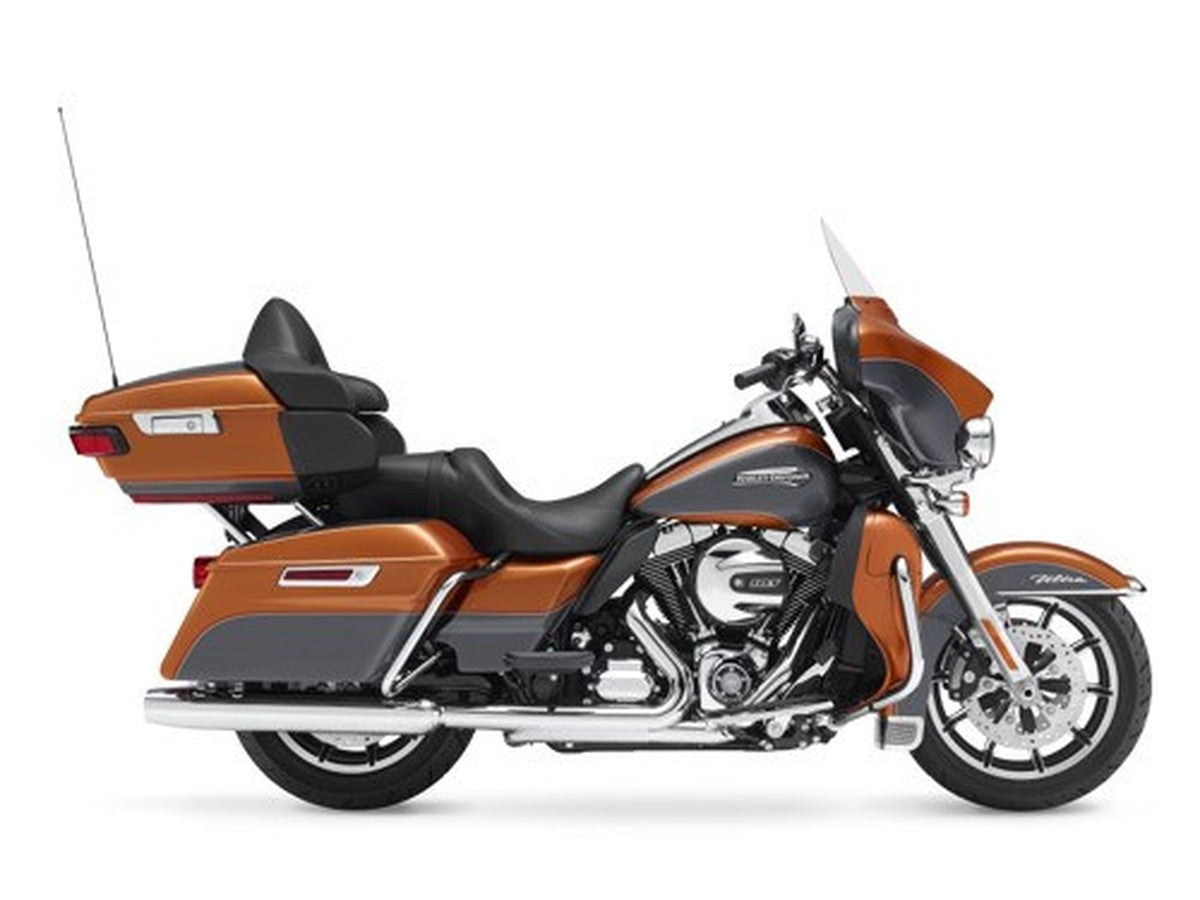
| Factory code | FLHTCU |
|---|---|
| Engine | Milwaukee-Eight 107 |
| Factory radio | Boom! Box 6.5 GT |
| Factory CarPlay / Android Auto | None from factory — add via an aftermarket radio or a GTS swap |
| Factory USB | USB-A (media / charge only) |
The 2017 Ultra Classic marked a real turning point under the tank, trading the Twin Cam 103 for Harley's new Milwaukee-Eight 107, while the dash carried over the familiar Boom! Box 6.5 GT touchscreen. More torque didn't mean more phone integration, though - that radio never had Apple CarPlay or Android Auto. HogPlay adds wireless versions of both without touching the Milwaukee-Eight powertrain you're riding for.
No Factory CarPlay — GTS Swap or Aftermarket
The 2017 Harley-Davidson Ultra Classic ran the factory Boom! Box 6.5 GT — no factory CarPlay or Android Auto. Two ways to add it: swap to a 2019–2023 Boom! Box GTS and add a HogPlay GTS Bypass for wireless CarPlay, or fit an aftermarket CarPlay radio (SoundStream, Rockford Fosgate, Boss, Diamond Audio, Aquatic AV). Either way a HogPlay Media Box or Piglet adds Android Auto — a Media Box also unlocks Netflix, YouTube and streaming, and a Piglet adds Mirror Link and AirPlay. No headset bypass required.
We also stock universal parts that fit the 2017 Harley-Davidson Ultra Classic and most other motorcycles — standalone CarPlay screens and universal USB power.
Universal parts that fit 2017 Harley-Davidson Ultra Classic and most other motorcycles
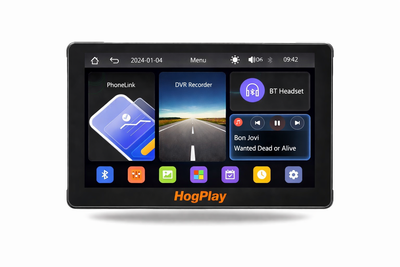 ✓ Universal fitHogPlay 7" Motorcycle Touchscreen - Wireless CarPlay, Android Auto & Screen Mirror with DVR Dash Cam
 ✓ Universal fitHogPlay Motorcycle Media Box Power Boost Cable - USB-C✓ Universal fitHogPlay Motorcycle Media Box Power Boost Cable - USB-A
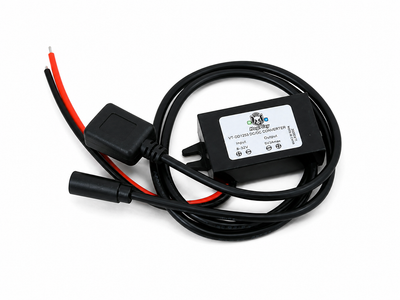 ✓ Universal fitHogPlay Universal Motorcycle USB Charging Ports - USB-A & USB-C (Harley-Davidson, Indian, Goldwing)
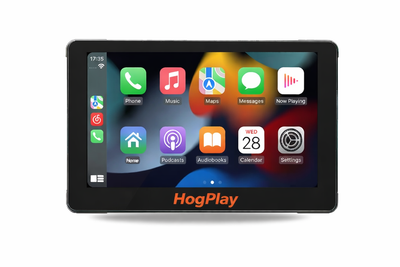 ✓ Universal fitHogPlay 7" Motorcycle Touchscreen - Wireless CarPlay, Android Auto & Screen Mirroring
About the 2017 Harley-Davidson Ultra Classic
2017 was a big year under the tank for the Ultra Classic - Harley swapped the long-running Twin Cam 103 for the new Milwaukee-Eight 107, while the dash kept the same Boom! Box 6.5 GT touchscreen riders already knew. More displacement and torque didn't come with more phone integration, though: that radio still has no Apple CarPlay or Android Auto, a fact the Milwaukee-Eight upgrade didn't change. For wireless phone mirroring, the fix has to come from outside the factory.
An aftermarket touchscreen from Rockford Fosgate or Boss is a straightforward way to get there - most include wireless Apple CarPlay and Android Auto standard, and since it's a clean aftermarket radio swap, no headset bypass is needed to make phone mirroring work. If you'd rather work toward the newer factory ecosystem, swap in a 2019-2023 GTS radio and add a HogPlay CarPlay bypass adaptor, which unlocks the GTS's own CarPlay and USB port without touching your Milwaukee-Eight setup otherwise (Android Auto isn't part of what that bypass adds by itself).
Layer on a HogPlay Media Box for Android Auto plus Netflix, YouTube, YouTube Music, and podcast streaming from an SD card or USB drive, no phone data required. A USB Piglet is the pick if you'd rather add Android Auto together with Mirror Link and AirPlay mirroring from your phone directly. A bar-mounted Media Screen rounds out the options, though most 2017 Ultra Classic riders with an existing head unit find it easier to just upgrade the radio itself.
2017 Harley-Davidson Ultra Classic CarPlay & Android Auto — FAQ
Does the 2017 Harley-Davidson Ultra Classic support wireless Apple CarPlay and Android Auto?
The 2017 Harley-Davidson Ultra Classic came with the Harley-Davidson Boom! Box 6.5 GT, which sounded good in its day but has no Apple CarPlay or Android Auto. HogPlay adds both: a bar-mounted HogPlay Media Screen with wireless CarPlay and Android Auto built in, or an aftermarket CarPlay radio paired with a HogPlay Media Box or Piglet for Android Auto and apps.
How do I get wireless Android Auto on the 2017 Harley-Davidson Ultra Classic?
Two ways to get Android Auto on the 2017 Harley-Davidson Ultra Classic: fit a bar-mounted HogPlay Media Screen, which has wireless Android Auto and Apple CarPlay built in; or add an aftermarket CarPlay radio and pair it with a HogPlay Media Box or Piglet for Android Auto and streaming apps.
What apps and streaming can I run on the 2017 Harley-Davidson Ultra Classic?
On an aftermarket radio, a HogPlay Media Box adds Android Auto plus Netflix, YouTube, maps and music, and a Piglet adds wireless CarPlay and Android Auto in a smaller package; or a bar-mounted HogPlay Media Screen does it all in one unit, no radio swap needed.
Is the HogPlay install on the 2017 Harley-Davidson Ultra Classic plug-and-play and reversible?
Yes. Every HogPlay upgrade for the 2017 Harley-Davidson Ultra Classic is true plug-and-play — a simple electrical connection with no cutting, splicing or flashing, and it's fully reversible. Setup is easy; exactly how you reach the connector varies by bike (USB adaptors plug straight in, while some radio-mounted bypasses need brief fairing or radio access).
Do I need a bypass to add Android Auto to the 2017 Harley-Davidson Ultra Classic?
No bypass applies — the 2017 Harley-Davidson Ultra Classic Harley-Davidson Boom! Box 6.5 GT has no Apple CarPlay to unlock. Add Android Auto with a bar-mounted HogPlay Media Screen (wireless Android Auto and Apple CarPlay built in), or an aftermarket CarPlay radio paired with a HogPlay Media Box or Piglet.
Which HogPlay parts fit the 2017 Harley-Davidson Ultra Classic?
For the 2017 Harley-Davidson Ultra Classic the fits are a bar-mounted HogPlay Media Screen (all-in-one), or a HogPlay Media Box or Piglet added to an aftermarket CarPlay radio. Confirm the exact set for your bike with What Fits.
For the 2017 Harley-Davidson Ultra Classic, is a Media Box or a Piglet the better pick?
On the 2017 Harley-Davidson Ultra Classic, the HogPlay Media Box is the full media center (Android Auto, CarPlay, Netflix, YouTube, maps) for an aftermarket radio, while the Piglet is a pocket-size USB adaptor for wireless Android Auto and CarPlay. For one box with no radio swap, the bar-mounted HogPlay Media Screen has both built in.
Is Android Auto on the 2017 Harley-Davidson Ultra Classic wireless?
Yes — whether through a HogPlay Media Screen or a HogPlay Media Box or Piglet on an aftermarket radio, Android Auto on the 2017 Harley-Davidson Ultra Classic is fully wireless.
HogPlay Media Boxes work on Diamond Audio, Boss Audio, Rockford Fosgate, SoundStream and Aquatic AV aftermarket radios to unlock apps, streaming and more — it's not just for factory screens. Running an aftermarket head unit? See the matching aftermarket radio pages.
Android Auto on the 2017 Harley-Davidson Ultra Classic: HogPlay makes the 2017 Harley-Davidson Ultra Classic run wireless Android Auto and Apple CarPlay — compare every Android Auto option that fits the 2017 Harley-Davidson Ultra Classic, then confirm your exact fit with What Fits.
← More 2017 Harley-Davidson models · Android Auto for Harley-Davidson → · Find parts for another motorcycle · See the Boom! Box 6.5 GT radio →
