
2015 Harley-Davidson CVO Street Glide
Android Auto, CarPlay & Streaming Apps for 2015 Harley-Davidson CVO Street Glide
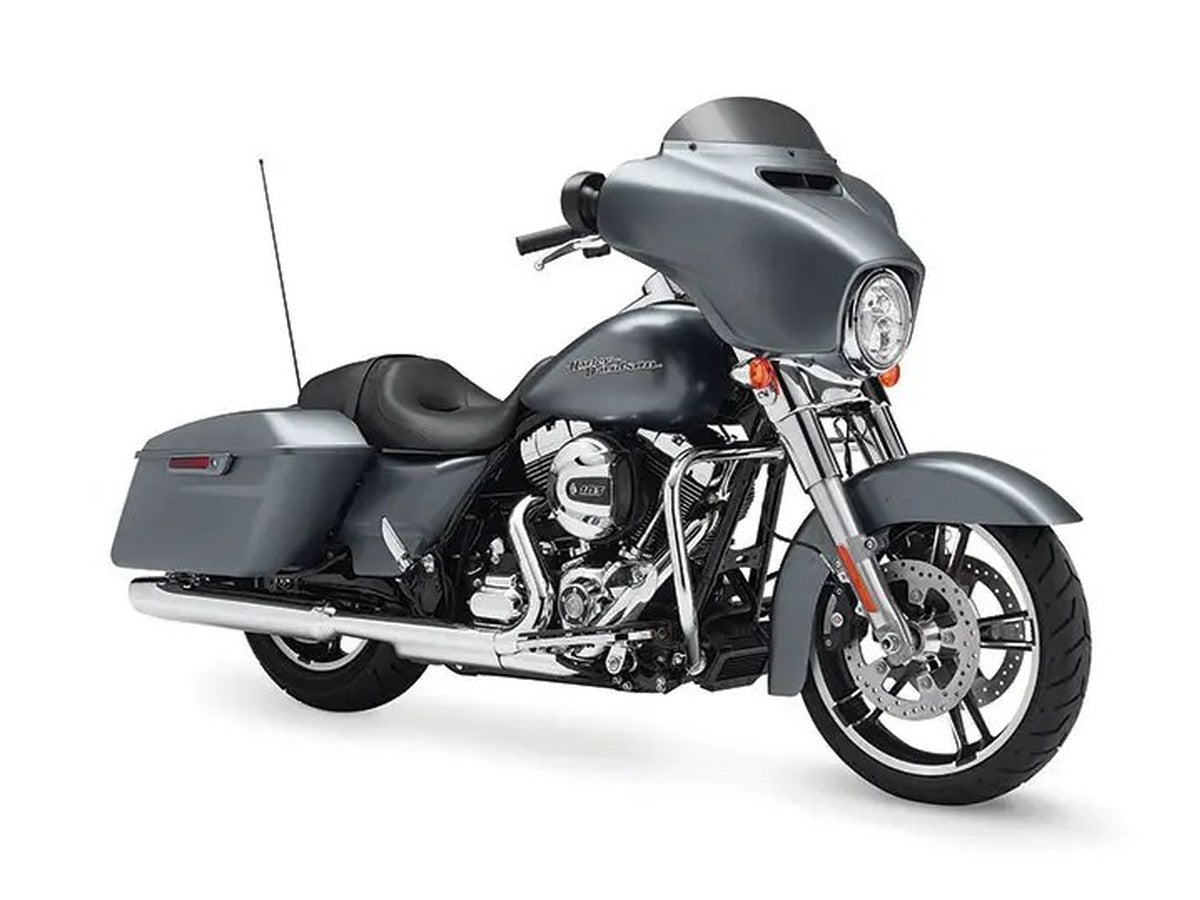
| Factory code | FLHXSE |
|---|---|
| Engine | Twin Cam 110 |
| Factory radio | Boom! Box 6.5 GT |
| Factory CarPlay / Android Auto | None from factory — add via an aftermarket radio or a GTS swap |
| Factory USB | USB-A (media / charge only) |
The 2015 CVO Street Glide pairs Harley's top CVO trim with the same touchscreen Boom! Box 6.5 GT, a capable radio for its time that still stops short of Apple CarPlay or Android Auto. HogPlay adds both wirelessly, whether through a purpose-built aftermarket CarPlay radio or a later-model GTS swap with a CarPlay bypass adaptor.
No Factory CarPlay — GTS Swap or Aftermarket
The 2015 Harley-Davidson CVO Street Glide ran the factory Boom! Box 6.5 GT — no factory CarPlay or Android Auto. Two ways to add it: swap to a 2019–2023 Boom! Box GTS and add a HogPlay GTS Bypass for wireless CarPlay, or fit an aftermarket CarPlay radio (SoundStream, Rockford Fosgate, Boss, Diamond Audio, Aquatic AV). Either way a HogPlay Media Box or Piglet adds Android Auto — a Media Box also unlocks Netflix, YouTube and streaming, and a Piglet adds Mirror Link and AirPlay. No headset bypass required.
We also stock universal parts that fit the 2015 Harley-Davidson CVO Street Glide and most other motorcycles — standalone CarPlay screens and universal USB power.
Universal parts that fit 2015 Harley-Davidson CVO Street Glide and most other motorcycles
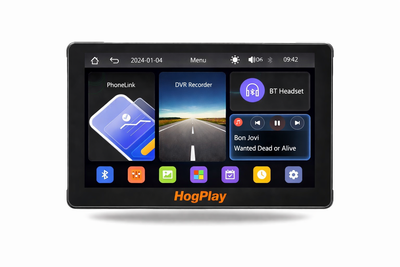 ✓ Universal fitHogPlay 7" Motorcycle Touchscreen - Wireless CarPlay, Android Auto & Screen Mirror with DVR Dash Cam
 ✓ Universal fitHogPlay Motorcycle Media Box Power Boost Cable - USB-C✓ Universal fitHogPlay Motorcycle Media Box Power Boost Cable - USB-A
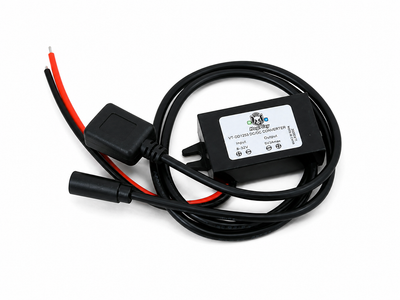 ✓ Universal fitHogPlay Universal Motorcycle USB Charging Ports - USB-A & USB-C (Harley-Davidson, Indian, Goldwing)
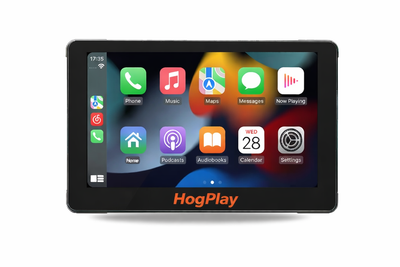 ✓ Universal fitHogPlay 7" Motorcycle Touchscreen - Wireless CarPlay, Android Auto & Screen Mirroring
About the 2015 Harley-Davidson CVO Street Glide
By 2015 the CVO Street Glide had settled into its role as Harley's top-of-the-line tourer, and the Boom! Box 6.5 GT touchscreen that came with it was a genuinely good radio for the mid-2010s — clear audio, a responsive screen, and easy Bluetooth pairing for calls. What it never had was Apple CarPlay or Android Auto, so mapping and streaming apps stayed stuck on the phone.
Bringing wireless CarPlay to the bars usually means one of two swaps. An aftermarket CarPlay head unit from Boss or Diamond Audio typically brings both Apple CarPlay and Android Auto onboard in one radio, mounts in place of the factory Boom! Box, and needs no headset bypass since the whole unit is new. Prefer to keep things closer to stock Harley styling? Swap in a 2019-2023 GTS radio and add a HogPlay CarPlay bypass adaptor to open up the GTS's built-in CarPlay and USB port.
From there, a HogPlay Media Box layers in Android Auto plus Netflix, YouTube, YouTube Music, and podcast playback from an SD card or USB stick — no cellular data needed. Want something smaller? A USB Piglet adds Android Auto with Mirror Link and AirPlay mirroring, and a bar-mounted HogPlay Media Screen is an option too, though once a bike already has a head unit most riders just upgrade the radio.
2015 Harley-Davidson CVO Street Glide CarPlay & Android Auto — FAQ
Does the 2015 Harley-Davidson CVO Street Glide support wireless Apple CarPlay and Android Auto?
The 2015 Harley-Davidson CVO Street Glide came with the Harley-Davidson Boom! Box 6.5 GT, which sounded good in its day but has no Apple CarPlay or Android Auto. HogPlay adds both: a bar-mounted HogPlay Media Screen with wireless CarPlay and Android Auto built in, or an aftermarket CarPlay radio paired with a HogPlay Media Box or Piglet for Android Auto and apps.
How do I get wireless Android Auto on the 2015 Harley-Davidson CVO Street Glide?
Two ways to get Android Auto on the 2015 Harley-Davidson CVO Street Glide: fit a bar-mounted HogPlay Media Screen, which has wireless Android Auto and Apple CarPlay built in; or add an aftermarket CarPlay radio and pair it with a HogPlay Media Box or Piglet for Android Auto and streaming apps.
What apps and streaming can I run on the 2015 Harley-Davidson CVO Street Glide?
On an aftermarket radio, a HogPlay Media Box adds Android Auto plus Netflix, YouTube, maps and music, and a Piglet adds wireless CarPlay and Android Auto in a smaller package; or a bar-mounted HogPlay Media Screen does it all in one unit, no radio swap needed.
Is the HogPlay install on the 2015 Harley-Davidson CVO Street Glide plug-and-play and reversible?
Yes. Every HogPlay upgrade for the 2015 Harley-Davidson CVO Street Glide is true plug-and-play — a simple electrical connection with no cutting, splicing or flashing, and it's fully reversible. Setup is easy; exactly how you reach the connector varies by bike (USB adaptors plug straight in, while some radio-mounted bypasses need brief fairing or radio access).
Do I need a bypass to add Android Auto to the 2015 Harley-Davidson CVO Street Glide?
No bypass applies — the 2015 Harley-Davidson CVO Street Glide Harley-Davidson Boom! Box 6.5 GT has no Apple CarPlay to unlock. Add Android Auto with a bar-mounted HogPlay Media Screen (wireless Android Auto and Apple CarPlay built in), or an aftermarket CarPlay radio paired with a HogPlay Media Box or Piglet.
Which HogPlay parts fit the 2015 Harley-Davidson CVO Street Glide?
For the 2015 Harley-Davidson CVO Street Glide the fits are a bar-mounted HogPlay Media Screen (all-in-one), or a HogPlay Media Box or Piglet added to an aftermarket CarPlay radio. Confirm the exact set for your bike with What Fits.
For the 2015 Harley-Davidson CVO Street Glide, is a Media Box or a Piglet the better pick?
On the 2015 Harley-Davidson CVO Street Glide, the HogPlay Media Box is the full media center (Android Auto, CarPlay, Netflix, YouTube, maps) for an aftermarket radio, while the Piglet is a pocket-size USB adaptor for wireless Android Auto and CarPlay. For one box with no radio swap, the bar-mounted HogPlay Media Screen has both built in.
Is Android Auto on the 2015 Harley-Davidson CVO Street Glide wireless?
Yes — whether through a HogPlay Media Screen or a HogPlay Media Box or Piglet on an aftermarket radio, Android Auto on the 2015 Harley-Davidson CVO Street Glide is fully wireless.
HogPlay Media Boxes work on Diamond Audio, Boss Audio, Rockford Fosgate, SoundStream and Aquatic AV aftermarket radios to unlock apps, streaming and more — it's not just for factory screens. Running an aftermarket head unit? See the matching aftermarket radio pages.
Android Auto on the 2015 Harley-Davidson CVO Street Glide: HogPlay makes the 2015 Harley-Davidson CVO Street Glide run wireless Android Auto and Apple CarPlay — compare every Android Auto option that fits the 2015 Harley-Davidson CVO Street Glide, then confirm your exact fit with What Fits.
← More 2015 Harley-Davidson models · Android Auto for Harley-Davidson → · Find parts for another motorcycle · See the Boom! Box 6.5 GT radio →
