
2011 Harley-Davidson Forty-Eight
Android Auto, CarPlay & Streaming Apps for 2011 Harley-Davidson Forty-Eight
| Factory code | XL1200X |
|---|---|
| Engine | Evolution 1200 (1,202cc) |
| Factory head unit | No factory options — HogPlay Screen recommended |
| Factory USB location | None |
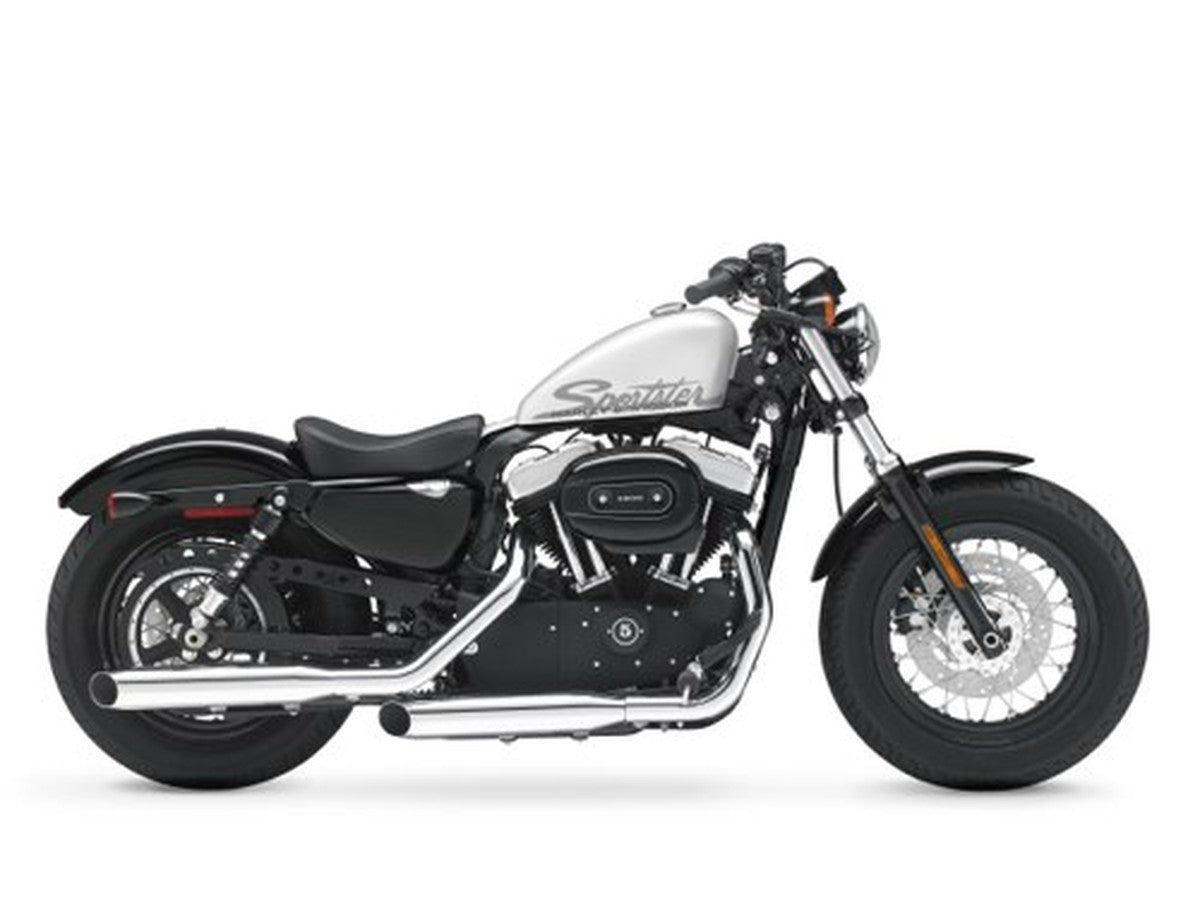
The 2011 Harley-Davidson Forty-Eight wears its bobber roots on its sleeve: a stubby 2.1-gallon peanut tank borrowed straight from the 1948 WL, wrapped around a fat 16-inch front tire and blacked-out Evolution 1200 (1,202cc) V-twin that shakes the whole bike with old-school character. It's a stripped-down, minimalist ride by design — which means Harley never gave it a dash screen or radio. HogPlay fixes that gap with the HogPlay Media Screen, a 7-inch bar-mounted unit that brings real sound and navigation to a bike built to have neither.
No Factory Radio — Add Your Own Screen
The 2011 Harley-Davidson Forty-Eight left the factory with no radio, stereo or touchscreen to bypass — so instead of a workaround, you add your own. A standalone HogPlay Media Screen is a 7-inch head unit with wireless Apple CarPlay and Android Auto, live Maps & Waze navigation, calls and streaming built in — we recommend the Screen 7 Pro with its onboard DVR drive-cam. Most riders settle for Bluetooth-only kits that leave the phone in your pocket with no turn-by-turn directions; this puts it all on the bars instead. It mounts to the handlebars with basic power and ground and comes off just as easily, so reach out to the HogPlay team if you'd like a hand. (Media Box support on Screens is in development.)
HogPlay CarPlay screens that fit 2011 Harley-Davidson Forty-Eight
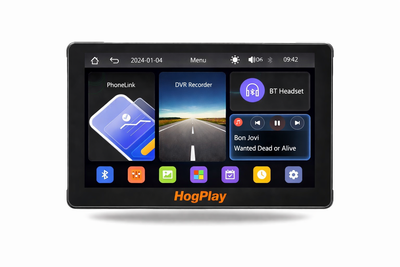 ✓ Universal fitHogPlay 7" Motorcycle Touchscreen - Wireless CarPlay, Android Auto & Screen Mirror with DVR Dash Cam
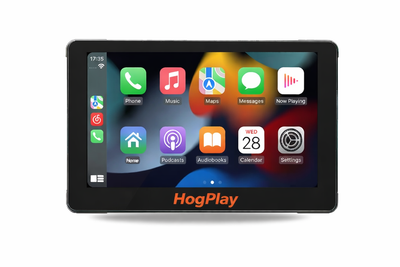 ✓ Universal fitHogPlay 7" Motorcycle Touchscreen - Wireless CarPlay, Android Auto & Screen Mirroring
We also stock universal parts that fit the 2011 Harley-Davidson Forty-Eight and most other motorcycles — standalone CarPlay screens and universal USB power.
Universal parts that fit 2011 Harley-Davidson Forty-Eight and most other motorcycles
 ✓ Universal fitHogPlay Motorcycle Media Box Power Boost Cable - USB-C✓ Universal fitHogPlay Motorcycle Media Box Power Boost Cable - USB-A
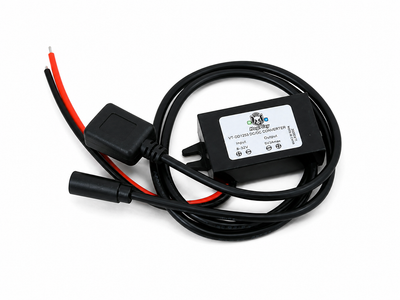 ✓ Universal fitHogPlay Universal Motorcycle USB Charging Ports - USB-A & USB-C (Harley-Davidson, Indian, Goldwing)
About the 2011 Harley-Davidson Forty-Eight
Everything about the 2011 Forty-Eight is pared back on purpose — narrow peanut tank, low bars, blacked-out covers, and just enough chrome to remind you it's still a Harley. That Evolution 1200 thumps with the kind of low-end torque the bobber crowd built this platform around, but the cockpit stays bare: no display, no speaker, nothing to plug a phone into. That's where the HogPlay screen earns its keep.
Install mounts the 7-inch unit right to the bars where the stock gauge cluster leaves room, with a built-in speaker so you're not chasing wind noise through earbuds. Wiring taps straight into power and ground — no splicing into the Forty-Eight's factory harness — and pairs wirelessly with Apple CarPlay or Android Auto for maps and music. The whole setup is reversible, so the bike's blacked-out minimalism goes right back to stock the day you want it to.
2011 Harley-Davidson Forty-Eight CarPlay & Android Auto — FAQ
Does the 2011 Harley-Davidson Forty-Eight support wireless Apple CarPlay and Android Auto?
The 2011 Harley-Davidson Forty-Eight left the factory with no radio or touchscreen, so it cannot run CarPlay on its own. A bar-mounted HogPlay Media Screen adds wireless Apple CarPlay and Android Auto, navigation and streaming to the 2011 Harley-Davidson Forty-Eight.
How do I get wireless Android Auto on the 2011 Harley-Davidson Forty-Eight?
The 2011 Harley-Davidson Forty-Eight has no factory radio, so a HogPlay Media Screen is the way to add Android Auto: it has wireless Android Auto and Apple CarPlay built in, nothing else required.
What apps and streaming can I run on the 2011 Harley-Davidson Forty-Eight?
The HogPlay Media Screen on the 2011 Harley-Davidson Forty-Eight is a self-contained media center: wireless Apple CarPlay and Android Auto plus navigation, music and apps on the handlebars.
Is the HogPlay install on the 2011 Harley-Davidson Forty-Eight plug-and-play and reversible?
Yes. Every HogPlay upgrade for the 2011 Harley-Davidson Forty-Eight is true plug-and-play — a simple electrical connection with no cutting, splicing or flashing, and it's fully reversible. Setup is easy; exactly how you reach the connector varies by bike (USB adaptors plug straight in, while some radio-mounted bypasses need brief fairing or radio access).
Do I need a bypass to add Android Auto to the 2011 Harley-Davidson Forty-Eight?
No — the 2011 Harley-Davidson Forty-Eight has no factory screen to unlock, so no bypass is involved. A bar-mounted HogPlay Media Screen adds wireless Android Auto and Apple CarPlay to the 2011 Harley-Davidson Forty-Eight on its own.
Which HogPlay parts fit the 2011 Harley-Davidson Forty-Eight?
The part made for the 2011 Harley-Davidson Forty-Eight is the bar-mounted HogPlay Media Screen — wireless Android Auto, Apple CarPlay, navigation and streaming in one unit. Confirm the exact fit with What Fits.
For the 2011 Harley-Davidson Forty-Eight, is a Media Box or a Piglet the better pick?
Neither is needed on the 2011 Harley-Davidson Forty-Eight: with no factory radio, the all-in-one HogPlay Media Screen is the pick — wireless Android Auto and Apple CarPlay are built in.
Is Android Auto on the 2011 Harley-Davidson Forty-Eight wireless?
Yes — the HogPlay Media Screen runs Android Auto and Apple CarPlay on the 2011 Harley-Davidson Forty-Eight fully wireless; pair your phone once over Wi-Fi and Bluetooth.
The 2011 Forty-Eight keeps things minimal, but the HogPlay Media Screen adds real capability without ruining that look. Its dual Bluetooth channels handle two jobs simultaneously — wireless Apple CarPlay or Android Auto for your phone, and an auxiliary amp, handlebar speakers, or a portable Bluetooth speaker on the second channel. A small built-in speaker delivers turn-by-turn voice prompts and light audio when you want it simple. Backed by the Evolution 1200 engine and a fully sealed, waterproof, rugged housing, it's built for the same rough-and-ready riding this Forty-Eight is known for.
Android Auto on the 2011 Harley-Davidson Forty-Eight: HogPlay makes the 2011 Harley-Davidson Forty-Eight run wireless Android Auto and Apple CarPlay — compare every Android Auto option that fits the 2011 Harley-Davidson Forty-Eight, then confirm your exact fit with What Fits.
← More 2011 Harley-Davidson models · Android Auto for Harley-Davidson → · Find parts for another motorcycle
