

Slingshot Ride Command
Headset Bypass Required
A headset bypass is required for any CarPlay, Android Auto or Media Box solution on Slingshot screens.
Factory CarPlay is locked behind a paired headset — the head unit wants the headset's microphone, so it simply will not run without one paired. The USB port is restricted the same way, which is why a Piglet or a Media Box does nothing on a stock bike no matter what you plug in. A HogPlay headset bypass removes that requirement — CarPlay and the USB port both work without a headset paired. If you ride in a state where a helmet isn't required, that matters: a headset isn't a realistic answer on an open-face or bare-headed ride.
The Ride Command (2018-2026) is the factory head unit fitted to select models. 7 HogPlay parts are confirmed to work with it.
Parts that fit your Ride Command
CarPlay & Android Auto Media Boxes
 HogPlay Pro Media Box - Motorcycle CarPlay, Android Auto & Streaming for Harley-Davidson & Indian
 HogPlay Plus Media Box - Motorcycle Wireless CarPlay & Android Auto for Harley-Davidson & Indian
 HogPlay Media Box Special Edition (SE1) - Motorcycle Wireless CarPlay & Android Auto
 HogPlay Motorcycle Media Box - Wireless Apple CarPlay & Android Auto for Harley-Davidson & Indian
USB CarPlay & Android Auto Piglets
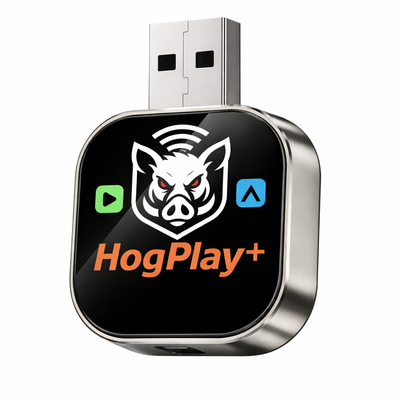 HogPlay Piglet Plus - Motorcycle Wireless CarPlay & Android Auto Adapter + Mini Media Box
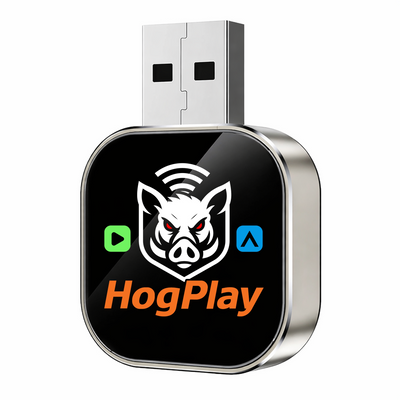 HogPlay Piglet - USB Wireless Apple CarPlay & Android Auto Adapter for Motorcycles
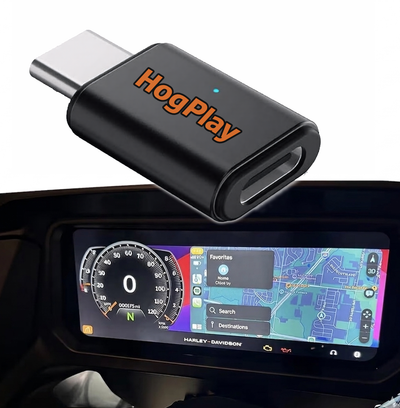
CarPlay Headset Bypass Adaptors
← All radios · All factory radios · Find parts by your bike →
What each part does
Bypass
Your Ride Command has the hardware for Apple CarPlay, but Slingshot gates it behind a paired headset — the head unit wants the headset's microphone, and without one CarPlay will not run. The USB port is restricted the same way, so a Piglet or a Media Box does nothing on a stock bike. A HogPlay headset bypass plugs into the factory harness and removes that requirement: CarPlay and the USB port both work with no headset paired. If your state lets you ride without a helmet, that is the difference between using the system and not. No flashing, no dealer visit, and it is reversible — unplug it and the bike is stock.
USB Piglets
A USB Piglet plugs into the head unit's USB port and adds Mirror Link and AirCast screen mirroring — mirroring your phone's actual screen to the dash, which no head unit does on its own.
Media Boxes
A Media Box adds Netflix, YouTube and other streaming apps to the Ride Command, running them on the screen you already have.
Not sure if your bike has the Ride Command?
Fitment depends on your exact year and model. Look your bike up by year, make and model and we'll tell you which radio it has and exactly what fits it.
Installation
Every HogPlay part on this page is plug-and-play into an existing connector — no cutting, no splicing, and no permanent modification to your bike. Unplug it and the motorcycle is back to stock. Fitment on this page is verified against the factory service documentation for this radio, not guessed from model names.
Frequently asked questions
What is Ride Command on the Polaris Slingshot?
Ride Command is Polaris’s factory infotainment system for the Slingshot — a 7″ touchscreen that handles navigation, gauges, phone pairing, and (from MY2020+) wired Apple CarPlay. It’s the hub you’re already looking at between the seats.
Which Slingshot model years have Ride Command with CarPlay?
Factory wired Apple CarPlay arrives on Ride Command starting with the MY2020 Slingshot and continues on every model year after. If your Slingshot is 2020 or newer, the factory system already supports CarPlay — with the headset catch below.
Does my Slingshot have Ride Command?
If your Slingshot has the 7″ touchscreen between the gauges rather than a small analog cluster, you have Ride Command. Not sure which trim or year you’re sitting on? Run it through our fitment finder to confirm before you order.
Does Ride Command have Apple CarPlay out of the box?
Yes, but with a catch — factory CarPlay on Ride Command is wired only, and Polaris gates it behind a paired Bluetooth headset before the screen will show it. Plug in without a headset paired and CarPlay simply won’t appear.
Why does my Slingshot ask for a headset before CarPlay works?
That’s Polaris’s own gate, not a wiring issue on your car — Ride Command checks for a paired Bluetooth headset before it will unlock the wired CarPlay screen. It’s a factory design choice tied to open-cockpit audio, not a fault to troubleshoot.
Does the Slingshot have Android Auto from the factory?
No — Ride Command does not include factory Android Auto on any Slingshot model year. Android users need an aftermarket path, which is exactly what our bypass and Piglet options below cover.
What does the HogPlay bypass do for Slingshot Ride Command?
The HogPlay USB-C bypass removes the headset requirement, so wired Apple CarPlay works the moment you plug in your iPhone — no Bluetooth headset pairing step needed.
How does the bypass install on a Slingshot?
It’s a plug-in adapter that sits inline with your existing Ride Command USB-C port — no dash removal, no wiring splices, no dealer visit. Most riders have it connected and CarPlay unlocked in a few minutes.
More questions (13)
How do I get Android Auto on my Slingshot Ride Command?
Add a HogPlay Piglet alongside the bypass — it brings Android Auto to Ride Command along with Mirror Link and AirPlay, all through the same USB-C connection.
What else does the Piglet add besides Android Auto?
Beyond Android Auto, the Piglet adds Mirror Link and AirPlay to Ride Command, so both Android and iPhone riders get screen-mirroring options the factory unit never offered.
What does the Media Box add to Ride Command?
The HogPlay Media Box layers in streaming apps plus SD and USB playback on top of your bypass, so Ride Command can run Netflix, YouTube, or a loaded USB drive while parked or at the campsite.
Do I need the bypass, the Piglet, or the Media Box?
Start with the bypass if you just want headset-free wired CarPlay. Add the Piglet if you’re on Android or want Mirror Link/AirPlay. Add the Media Box if you want streaming apps and SD/USB media on top — all three work together on Ride Command.
Can I run the bypass, Piglet, and Media Box together?
Yes — all three are designed to work together on Slingshot Ride Command, so you can unlock CarPlay, add Android Auto/Mirror Link/AirPlay, and layer in streaming apps and SD/USB in one build.
Is there a full head-unit replacement option instead of a bypass?
Yes — the SoundStream SS-1824 is an aftermarket head-unit swap for the 2018–2024 Slingshot with wireless Apple CarPlay and Android Auto built in natively, no bypass hardware required.
HogPlay bypass or SoundStream SS-1824 — which should I pick?
Keep your factory Ride Command screen and add the bypass (plus Piglet/Media Box as needed) if you like the stock look. Choose the SoundStream SS-1824 if you want a full replacement with wireless CarPlay and Android Auto built in from the start.
I have a pre-2020 Slingshot without Ride Command — what are my options?
Earlier Slingshots without the 7″ Ride Command screen aren’t covered by the bypass path above. The SoundStream SS-1824 head-unit swap covers 2018–2024 Slingshots and is the better fit if your unit predates factory Ride Command.
Will the bypass make my Slingshot CarPlay wireless?
No — the HogPlay bypass keeps CarPlay wired through USB-C, it just removes the headset-pairing requirement. If you want wireless CarPlay specifically, the SoundStream SS-1824 head-unit swap is the wireless option.
Will this setup handle navigation and music on a long Slingshot road trip?
Yes — once CarPlay is unlocked with the bypass, Ride Command runs Apple Maps, Waze, and your music apps straight off your iPhone, and adding the Media Box gives you offline USB playback for stretches with no signal.
I ride with an Android phone — what do I need?
Pair the HogPlay bypass with a Piglet — the bypass unlocks the Ride Command connection and the Piglet brings Android Auto (plus Mirror Link) to a system that has no factory Android support at all.
Should I bypass Ride Command or replace it outright?
Bypassing keeps your factory look and adds capability in minutes; replacing with the SoundStream SS-1824 gives you a wireless native experience but changes your head unit. Most Slingshot riders start with the bypass since it’s the lower-cost, reversible option.
Where can I see all the radio and CarPlay options for my Slingshot?
Our Slingshot Radios hub lists every Ride Command upgrade path side by side — bypass, Piglet, Media Box, and the SoundStream SS-1824 — so you can compare before you buy.
Ride safe: on-screen video is for parked viewing only — never watch video while the motorcycle is in motion. Music, audio and navigation are made for the road.
