

Honda CarPlay Touchscreen
Headset Bypass Required
A headset bypass is required for any CarPlay, Android Auto or Media Box solution on Honda screens.
Factory CarPlay is locked behind a paired headset — the head unit wants the headset's microphone, so it simply will not run without one paired. The USB port is restricted the same way, which is why a Piglet or a Media Box does nothing on a stock bike no matter what you plug in. A HogPlay headset bypass removes that requirement — CarPlay and the USB port both work without a headset paired. If you ride in a state where a helmet isn't required, that matters: a headset isn't a realistic answer on an open-face or bare-headed ride.
The CarPlay Touchscreen (2018-2026) is the factory head unit fitted to select models. 7 HogPlay parts are confirmed to work with it.
Parts that fit your CarPlay Touchscreen
CarPlay & Android Auto Media Boxes
 HogPlay Pro Media Box - Motorcycle CarPlay, Android Auto & Streaming for Harley-Davidson & Indian
 HogPlay Plus Media Box - Motorcycle Wireless CarPlay & Android Auto for Harley-Davidson & Indian
 HogPlay Media Box Special Edition (SE1) - Motorcycle Wireless CarPlay & Android Auto
 HogPlay Motorcycle Media Box - Wireless Apple CarPlay & Android Auto for Harley-Davidson & Indian
USB CarPlay & Android Auto Piglets
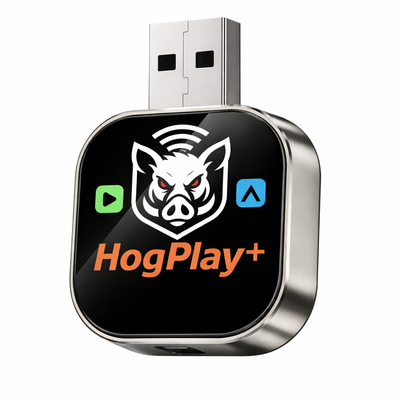 HogPlay Piglet Plus - Motorcycle Wireless CarPlay & Android Auto Adapter + Mini Media Box
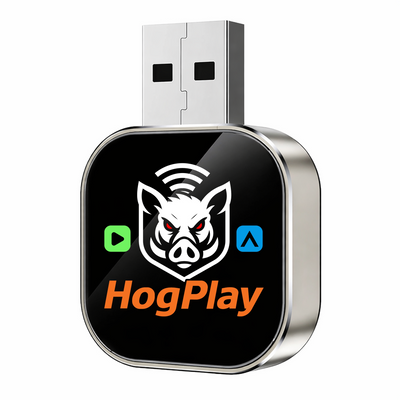 HogPlay Piglet - USB Wireless Apple CarPlay & Android Auto Adapter for Motorcycles
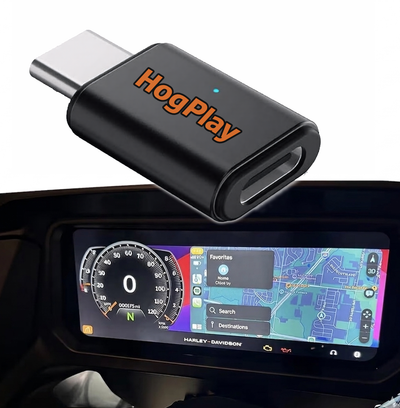
CarPlay Headset Bypass Adaptors
← All radios · All factory radios · Find parts by your bike →
What each part does
Bypass
Your CarPlay Touchscreen has the hardware for Apple CarPlay, but Honda gates it behind a paired headset — the head unit wants the headset's microphone, and without one CarPlay will not run. The USB port is restricted the same way, so a Piglet or a Media Box does nothing on a stock bike. A HogPlay headset bypass plugs into the factory harness and removes that requirement: CarPlay and the USB port both work with no headset paired. If your state lets you ride without a helmet, that is the difference between using the system and not. No flashing, no dealer visit, and it is reversible — unplug it and the bike is stock.
USB Piglets
A USB Piglet plugs into the head unit's USB port and adds Mirror Link and AirCast screen mirroring — mirroring your phone's actual screen to the dash, which no head unit does on its own.
Media Boxes
A Media Box adds Netflix, YouTube and other streaming apps to the CarPlay Touchscreen, running them on the screen you already have.
Not sure if your bike has the CarPlay Touchscreen?
Fitment depends on your exact year and model. Look your bike up by year, make and model and we'll tell you which radio it has and exactly what fits it.
Installation
Every HogPlay part on this page is plug-and-play into an existing connector — no cutting, no splicing, and no permanent modification to your bike. Unplug it and the motorcycle is back to stock. Fitment on this page is verified against the factory service documentation for this radio, not guessed from model names.
Frequently asked questions
What infotainment system does the Honda Gold Wing come with from the factory?
Every 2018+ Honda Gold Wing and Gold Wing Tour (GL1800) ships with a 7-inch touchscreen display that includes factory Apple CarPlay and, from 2020 onward, factory Android Auto. Both run over a USB cable — there is no wireless connection built in from Honda.
Does my Gold Wing have Apple CarPlay?
If your Gold Wing is a 2018 or newer GL1800, yes — factory wired Apple CarPlay has been standard since the 7-inch touchscreen launched. Not sure about your exact year or trim? Check the fitment finder to confirm.
Does my Gold Wing have Android Auto?
Honda added factory Android Auto starting with the 2020 model year, so 2020+ Gold Wings have both CarPlay and Android Auto built in — again, wired only. 2018–2019 models got CarPlay first and picked up Android Auto in the 2020 update.
Is Gold Wing CarPlay and Android Auto wireless?
No. On every Gold Wing model year, factory CarPlay and factory Android Auto are wired-only — you plug your phone in with a USB cable every time you ride. That is true even on the newest Gold Wing Tour trims.
Can I get wireless CarPlay on my Gold Wing?
Yes — install the HogPlay USB-C bypass and your Gold Wing’s existing CarPlay switches from wired to wireless. Your phone connects automatically once it’s in range, no cable required.
Can I get wireless Android Auto on my Gold Wing too?
Yes, the same HogPlay USB-C bypass unlocks wireless Android Auto alongside wireless CarPlay. Your Gold Wing already has both built in — the bypass just removes the cable requirement for both.
What does the HogPlay bypass actually do?
The Gold Wing already has factory CarPlay and Android Auto — the HogPlay USB-C bypass simply unlocks the wireless side of both, so you stop plugging in and start pairing over Bluetooth/Wi-Fi automatically.
Is there a USB-A version of the bypass for older connectors?
A HogPlay USB-A bypass is coming soon for Gold Wing setups that use an older USB-A style port. The USB-C bypass is available now — check the bypass collection for current options and updates.
More questions (13)
Why does wireless CarPlay matter on a Gold Wing specifically?
The Gold Wing’s trunk and saddlebag storage means riders often stash their phone away rather than leaving it exposed on a mount. Wireless CarPlay and Android Auto let the phone stay in your pocket, tank bag, or trunk while the 7-inch display still runs navigation, calls, and music.
Do I still need to plug in my phone after installing the bypass?
No — that’s the point of the HogPlay USB-C bypass. Once it’s installed, your Gold Wing connects to CarPlay or Android Auto automatically each time you start the bike, no cable needed.
What’s the difference between factory wired and HogPlay wireless on a Gold Wing?
Factory wired requires a USB cable run from your phone to the dash every ride, and a snagged or worn cable can interrupt the connection. HogPlay wireless uses the same factory CarPlay and Android Auto software, just without the cable — your phone connects the moment it’s in range.
What does the HogPlay Media Box add to my Gold Wing?
The Media Box adds streaming apps like Netflix, YouTube, and YouTube Music, plus podcast apps, directly on your Gold Wing’s display — on top of SD-card and USB-drive playback for stored video or audio.
Can I play music from a USB drive or SD card on my Gold Wing?
Yes, with a HogPlay Media Box installed you can plug in a USB drive or SD card loaded with music or video and play it straight through the Gold Wing’s 7-inch screen.
Do I need both the bypass and the Media Box?
They solve different things: the USB-C bypass makes your existing CarPlay and Android Auto wireless, while the Media Box adds streaming apps and SD/USB playback the factory system doesn’t offer at all. Many Gold Wing riders run both together.
Is the HogPlay bypass reversible on a Gold Wing?
Yes — the bypass installs inline with your Gold Wing’s existing wiring without cutting or permanently altering factory harnesses, so it can be removed and the bike returned to its original wired setup if you ever want to.
How long does installation take on a Gold Wing?
Most riders complete the HogPlay USB-C bypass install in under an hour with basic hand tools, since it connects inline with the Gold Wing’s existing infotainment wiring rather than replacing the head unit.
Does the bypass work on both the Gold Wing and Gold Wing Tour?
Yes, both the standard Gold Wing and Gold Wing Tour share the same 7-inch factory infotainment system, so the same HogPlay USB-C bypass applies across trims. Confirm your exact year on the fitment finder.
Do I have to pair a headset to unlock CarPlay on my Gold Wing?
No — unlike some other brands, the Gold Wing doesn’t lock CarPlay or Android Auto behind a paired headset. The HogPlay bypass here is strictly about making the connection wireless, not removing any headset requirement.
Why go wireless instead of just using the factory cable?
On a touring bike like the Gold Wing, riders are usually in full gloves and gear — fumbling a USB cable into a phone before every ride gets old fast. Wireless CarPlay and Android Auto mean the connection happens automatically, whether your phone is in a pocket, tank bag, or trunk.
What other Honda models does HogPlay support?
The Gold Wing is Honda’s flagship for factory CarPlay and Android Auto, but HogPlay covers other Honda touring and cruiser models too. See the Honda radios hub for the full lineup.
How do I know which HogPlay products fit my Gold Wing?
Enter your exact year and trim into the fitment finder to confirm which bypass and Media Box options are correct for your Gold Wing before you order.
Ride safe: on-screen video is for parked viewing only — never watch video while the motorcycle is in motion. Music, audio and navigation are made for the road.
