

Harley-Davidson Skyline (2023.5+)
Headset Bypass Required
A headset bypass is required for any CarPlay, Android Auto or Media Box solution on Harley-Davidson screens.
Factory CarPlay is locked behind a paired headset — the head unit wants the headset's microphone, so it simply will not run without one paired. The USB port is restricted the same way, which is why a Piglet or a Media Box does nothing on a stock bike no matter what you plug in. A HogPlay headset bypass removes that requirement — CarPlay and the USB port both work without a headset paired. If you ride in a state where a helmet isn't required, that matters: a headset isn't a realistic answer on an open-face or bare-headed ride.
The Skyline (2023.5+) (2023-2026) is the factory head unit fitted to 31 model-years in our fitment database. 9 HogPlay parts are confirmed to work with it.
Parts that fit your Skyline (2023.5+)
CarPlay & Android Auto Media Boxes
 HogPlay Pro Media Box - Motorcycle CarPlay, Android Auto & Streaming for Harley-Davidson & Indian
 HogPlay Plus Media Box - Motorcycle Wireless CarPlay & Android Auto for Harley-Davidson & Indian
 HogPlay Media Box Special Edition (SE1) - Motorcycle Wireless CarPlay & Android Auto
 HogPlay Motorcycle Media Box - Wireless Apple CarPlay & Android Auto for Harley-Davidson & Indian
USB CarPlay & Android Auto Piglets
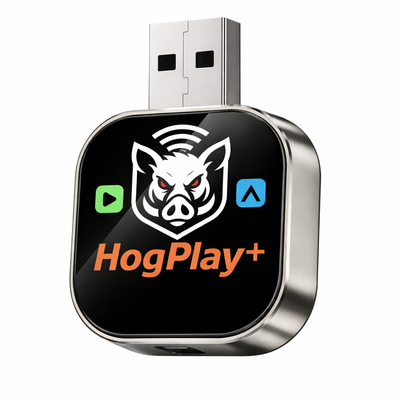 HogPlay Piglet Plus - Motorcycle Wireless CarPlay & Android Auto Adapter + Mini Media Box
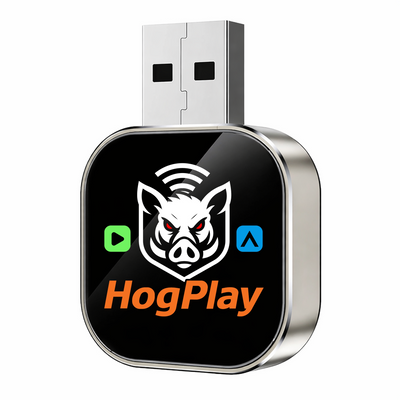 HogPlay Piglet - USB Wireless Apple CarPlay & Android Auto Adapter for Motorcycles
CarPlay Headset Bypass Adaptors
 HogPlay 'The Original' Wireless CarPlay Activation Bypass for Harley-Davidson 2023.5+ - Under-Seat 12V
 HogPlay 'The Original' Wireless CarPlay Activation Bypass for Harley-Davidson 23+ - 12-Pin Under-Seat P&A
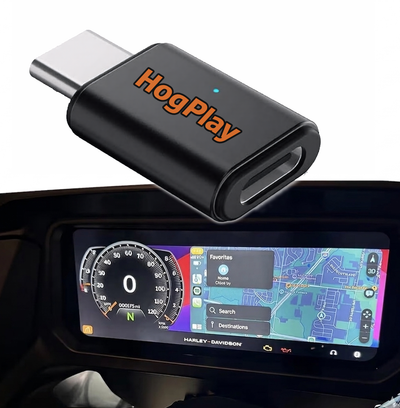 HogPlay Wireless Apple CarPlay Activation Bypass for Indian & Harley-Davidson Motorcycles (USB-C)
← All radios · All factory radios · Find parts by your bike →
What each part does
Bypass adaptors
Your Skyline (2023.5+) has the hardware for Apple CarPlay, but Harley-Davidson gates it behind a paired headset — the head unit wants the headset's microphone, and without one CarPlay will not run. The USB port is restricted the same way, so a Piglet or a Media Box does nothing on a stock bike. A HogPlay headset bypass plugs into the factory harness and removes that requirement: CarPlay and the USB port both work with no headset paired. If your state lets you ride without a helmet, that is the difference between using the system and not. No flashing, no dealer visit, and it is reversible — unplug it and the bike is stock.
USB Piglets
Once the bypass has opened the USB port, a USB Piglet adds Android Auto plus Mirror Link and AirCast screen mirroring — putting your phone's actual screen on the dash. No Harley factory screen has Android Auto on its own; the bypass and a Piglet are what add it.
Media Boxes
With the bypass in place, a Media Box adds Android Auto plus streaming — Netflix, YouTube, YouTube Music, podcasts and more — on the screen you already have. It even plays from an SD card or USB drive, so you are not burning phone data.
Not sure if your bike has the Skyline (2023.5+)?
Fitment depends on your exact year and model. Look your bike up by year, make and model and we'll tell you which radio it has and exactly what fits it.
Installation
Every HogPlay part on this page is plug-and-play into an existing connector — no cutting, no splicing, and no permanent modification to your bike. Unplug it and the motorcycle is back to stock. Fitment on this page is verified against the factory service documentation for this radio, not guessed from model names.
Frequently asked questions
What is the Harley-Davidson Skyline radio?
It’s Harley-Davidson’s newest factory touring infotainment system, built around a large 12.3″ touchscreen — roughly four times the display area of the older 6.5″ Boom! Box GTS — that installs under the seat. It keeps handlebar controls, navigation and SiriusXM, but its factory Apple CarPlay is wired-only and locked behind a paired Bluetooth headset, which is where a HogPlay Skyline Bypass comes in.
How do I know if my Harley-Davidson has the new Skyline radio and not the older Boom! Box GTS?
The easiest tell is screen size: Skyline runs a 12.3″ touchscreen, roughly four times the display area of the 6.5″ screen on the older Boom! Box GTS. If your dash has the large widescreen display you have Skyline, and the fitment finder will confirm your exact model and the right HogPlay parts for it.
Which Harley-Davidson CVO models come with the Skyline radio?
CVO Road Glide and CVO Street Glide picked up Skyline starting with the 2023.5 model year; earlier CVO touring bikes ran the Boom! Box GTS. If your CVO is a 2023.5 or newer, the Skyline Bypass lineup is what applies to you.
Does my 2024 Street Glide or Road Glide have the Skyline system?
Yes — standard (non-CVO) Harley-Davidson Street Glide, Road Glide, Ultra and Limited touring models moved to Skyline starting with the 2024 model year. Run your exact year and trim through the fitment finder to see the matching HogPlay bypass and accessories.
I have a 2022 Road Glide — is that Skyline or GTS?
That’s the older Boom! Box GTS generation, not Skyline — standard touring models didn’t get Skyline until the 2024 model year. Use the fitment finder to pull up the correct HogPlay options for your specific year and model.
When did Harley-Davidson trikes like the Tri Glide and Freewheeler get the Skyline radio?
Trikes are the last family to switch — the Tri Glide and Freewheeler carry the Skyline system starting with the 2026 model year, while 2025-and-earlier trikes run the older Boom! Box GTS. If your trike is a 2026, confirm your exact fitment through the fitment finder before ordering a bypass.
Is there a Skyline version for older touring bikes from 2014–2018?
No — Skyline only exists on Harley-Davidson touring and CVO models from the 2023.5 model year forward, with standard touring joining in 2024 and trikes in 2026. A 2014–2018 touring bike doesn’t have Skyline at all, so run it through the fitment finder and it will point you to the right-generation HogPlay solution for your bike instead.
My CVO Street Glide is a 2023 model — does it have Skyline or GTS?
The Skyline changeover on CVO models landed with the 2023.5 refresh, so an early 2023 CVO Street Glide built before that update runs the older Boom! Box GTS, not Skyline. Check your build date and screen size against the fitment finder to confirm which generation you have before choosing a bypass.
More questions (30)
Will the HogPlay Skyline Bypass fit any Harley-Davidson with the big 12.3-inch screen?
If your Harley-Davidson touring, CVO or trike model has the 12.3″ Skyline touchscreen, a HogPlay Skyline Bypass is built to fit it — the connector just varies by bike, so run your exact year and model through the fitment finder to get matched to the right variant automatically.
Does the Harley-Davidson Skyline radio have Apple CarPlay?
Yes, but only in wired form — you plug your iPhone into the USB port, and even then it won’t start until a Bluetooth headset is paired. Factory Skyline CarPlay is USB-cable only, so wireless projection is something you add rather than a stock feature.
Why won’t CarPlay start on my Skyline even though my iPhone is plugged in?
The Skyline radio won’t open CarPlay or activate the USB port until a Bluetooth headset is paired to the bike, exactly like the older Boom! Box GTS. A HogPlay Skyline Bypass removes that lock so CarPlay and USB work with no headset required.
I ride in an open-face helmet with no headset — can I still use CarPlay on my Skyline?
Not from the factory. Harley-Davidson’s Skyline system requires a paired Bluetooth headset before it will open CarPlay or the USB port, which leaves open-face — or no-helmet — riders with a 12.3″ touchscreen they can’t actually use. A HogPlay Skyline Bypass unlocks CarPlay and USB without a headset.
Is the headset requirement a Skyline problem or a Boom! Box GTS problem?
Both. Harley-Davidson carried the same paired-headset gate forward from the Boom! Box GTS into the newer Skyline system, so moving up to the bigger 12.3″ screen doesn’t fix the lockout — you still need a bypass to run CarPlay without a headset.
Which HogPlay bypass do I need for my Skyline-equipped Harley?
It depends on your bike’s connector — HogPlay makes 12V under-seat, 12-Pin P&A and USB-C Skyline Bypass variants. Browse the Skyline Bypass collection or run your bike through the fitment finder and it will match you to the correct one.
Can I just put an aftermarket radio in my Skyline bike instead of a bypass?
Not right now — 2023.5+ Harley-Davidson models with Skyline run on an A2B digital audio bus, and there’s no aftermarket head unit that drops into it yet. On a Skyline bike the path is to keep the factory 12.3″ screen and add a HogPlay Skyline Bypass to free CarPlay and the USB port without a headset, then a Media Box or Piglet for Android Auto and wireless.
Does the Harley-Davidson Skyline have Android Auto?
Not from the factory — the Skyline’s 12.3″ touchscreen runs wired Apple CarPlay only, and only after a Bluetooth headset is paired. Once a Skyline Bypass opens the USB port, a HogPlay Media Box or Piglet is what actually adds Android Auto.
My factory CarPlay is wired — can I get wireless Apple CarPlay on my Skyline too?
Yes. Factory Skyline CarPlay only runs over a USB cable, so wireless projection is a genuine upgrade, not a stock feature. After a Skyline Bypass unlocks the USB port, a HogPlay Media Box or Piglet adds wireless CarPlay and Android Auto so your phone can stay in your pocket.
Media Box or Piglet — which one should I put behind my Skyline bypass?
Both add Android Auto and wireless projection to your Skyline, so the pick comes down to extras: the Media Box is built for streaming apps plus music straight off an SD card or USB drive, while the Piglet adds Mirror Link and AirPlay screen mirroring. Either one installs behind the same Skyline Bypass.
Do I need the bypass AND a Media Box or Piglet, or can I skip straight to one?
You need both. The Skyline Bypass removes the paired-headset lock and opens the USB port, and a Media Box or Piglet plugs into that open port to add Android Auto and wireless projection — the bypass alone only frees factory CarPlay, it doesn’t add Android Auto by itself.
Can I stream Netflix or YouTube on my Skyline touring bike?
Not through the factory system, but yes with a HogPlay Media Box installed behind your Skyline Bypass. It puts Netflix, YouTube, YouTube Music and podcasts on your Harley-Davidson’s 12.3″ Skyline screen, on top of Android Auto and wireless CarPlay.
I want to play music without eating up my phone’s data plan — is that possible on a Skyline?
It is, once a Media Box is added behind your Skyline Bypass. The Media Box plays music and video straight from an SD card or USB drive, so long rides don’t burn through your data the way streaming from your phone would.
Can I mirror my phone’s screen on my Harley-Davidson Skyline?
Yes — add a HogPlay Piglet behind your Skyline Bypass and you get Mirror Link and AirPlay screen mirroring on the factory 12.3″ display, on top of Android Auto and wireless CarPlay.
Can I watch video or use apps like Netflix on my Skyline while I’m riding?
A HogPlay Media Box puts Netflix, YouTube and other apps on your unlocked Skyline screen, but video is best saved for a stop — on the move it’s the wireless CarPlay, Android Auto, music and podcasts that keep you going, including audio straight off an SD card or USB drive.
If I add a HogPlay bypass to my Skyline, does it change the factory look of my dash?
No. Your Harley-Davidson Skyline’s 12.3″ touchscreen, bezel and dash stay exactly as they came from the factory — the Skyline Bypass is a small plug-in that lives under the seat, out of sight, with no cutting, trim swaps or new buttons.
Will I lose my handlebar controls, navigation, or SiriusXM after installing a bypass?
No. The bypass only removes the paired-headset lock on the Skyline’s CarPlay and USB port — your factory handlebar controls, built-in navigation and SiriusXM keep working exactly as they did before.
Is the HogPlay install permanent, or can I put my Skyline back to fully stock?
Where does everything physically install on a Skyline-equipped Harley-Davidson?
Does adding a HogPlay bypass or Media Box mean replacing my Skyline head unit?
Is the install simple enough to do myself, or does it require dealer work?
It’s built to be a straightforward under-seat plug-in with no wire splicing or dash disassembly, which is why most riders handle it themselves. If you’d rather have it done, any shop comfortable pulling a Harley-Davidson seat can install the bypass in minutes.
Will installing a HogPlay bypass or Media Box leave visible modifications on my Skyline?
I already have Skyline — is it worth swapping to an aftermarket head unit instead?
There’s no aftermarket head-unit swap for a Skyline bike today — the 2023.5+ A2B digital bus means no drop-in replacement exists yet. Keeping your factory 12.3″ Skyline and adding a HogPlay Skyline Bypass plus a Media Box or Piglet is how you get CarPlay without a headset, Android Auto and wireless — while keeping the factory look, controls, navigation and SiriusXM.
Does adding HogPlay to my Skyline affect resale, or is the factory radio safe?
Your factory 12.3″ Skyline screen stays right where it is — there’s no aftermarket head-unit swap on a Skyline bike anyway (the A2B digital bus), so the factory system buyers expect is preserved. A HogPlay Skyline Bypass and a Media Box or Piglet are reversible plug-ins that add wireless CarPlay and Android Auto with nothing cut or permanently changed.
Why can’t I replace the Skyline head unit like on older Harleys?
The Skyline system runs on an A2B digital audio bus, and there’s no aftermarket head unit that drops into it yet — unlike the older Boom! Box bikes, where a full aftermarket swap is an option. That’s exactly why the HogPlay path suits Skyline: a Skyline Bypass frees the factory CarPlay and USB without a headset, and a Media Box or Piglet adds Android Auto, wireless and streaming — all through the 12.3″ screen you already have.
I do long touring rides and rely on my headset for calls and navigation — do I still need a bypass?
If you want wireless projection, yes. Factory Skyline CarPlay is wired-only even with a headset paired, so a Skyline Bypass plus a Media Box or Piglet adds wireless CarPlay and Android Auto alongside the headset setup you already run.
I ride in a group with mixed helmets — some full-face with comms, some open-face with none. Does that matter for Skyline?
It does. On a factory Skyline, a rider without a paired headset gets no CarPlay and no USB access at all, so the open-face and no-helmet riders are locked out even with a phone plugged in. A HogPlay Skyline Bypass removes that headset gate regardless of helmet type.
Is it worth adding a bypass just for the wireless CarPlay, or should I wait?
If you already ride a Skyline-equipped Harley-Davidson — a CVO Road Glide or Street Glide from 2023.5, a standard touring model from 2024, or a 2026 trike — the factory system is wired-only and headset-locked either way, so there’s no upside to waiting. A Skyline Bypass pays off the first ride you plug in without hunting for a headset.
My riding buddy has the older Boom! Box GTS and just plugs in CarPlay — why can’t I do that on my Skyline?
Because both systems work the same way. Skyline and the older Boom! Box GTS both gate CarPlay behind a paired headset, so if your buddy just plugs in and goes, his bike almost certainly already has a bypass on it. Add a Skyline Bypass — with a Media Box or Piglet for wireless — and you’re set up the same way.
Is it really worth adding a bypass and Media Box, or should I just live with wired CarPlay?
Ride safe: on-screen video is for parked viewing only — never watch video while the motorcycle is in motion. Music, audio and navigation are made for the road.
