

Diamond Audio MSHD9813SG
No Headset Bypass Required
Your Diamond Audio MSHD9813SG replaced the factory radio, so there is nothing left to unlock. No bypass, no dealer visit — HogPlay parts plug straight into it.
The MSHD9813SG (1998-2013) is a Diamond Audio aftermarket head unit that replaces the factory radio. 6 HogPlay parts are confirmed to work with it.
Parts that fit your MSHD9813SG
CarPlay & Android Auto Media Boxes
 HogPlay Pro Media Box - Motorcycle CarPlay, Android Auto & Streaming for Harley-Davidson & Indian
 HogPlay Plus Media Box - Motorcycle Wireless CarPlay & Android Auto for Harley-Davidson & Indian
 HogPlay Media Box Special Edition (SE1) - Motorcycle Wireless CarPlay & Android Auto
 HogPlay Motorcycle Media Box - Wireless Apple CarPlay & Android Auto for Harley-Davidson & Indian
USB CarPlay & Android Auto Piglets
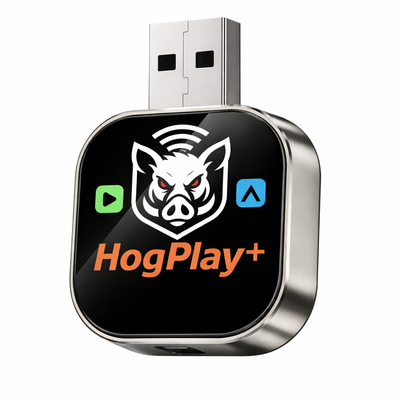 HogPlay Piglet Plus - Motorcycle Wireless CarPlay & Android Auto Adapter + Mini Media Box
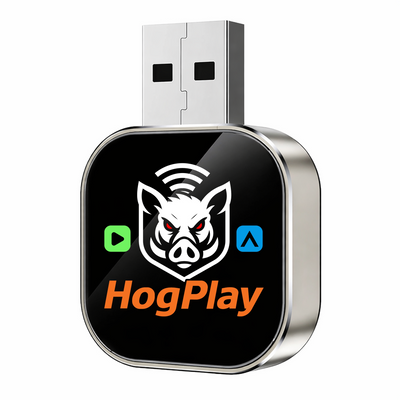 HogPlay Piglet - USB Wireless Apple CarPlay & Android Auto Adapter for Motorcycles
← All radios · All aftermarket radios · Find parts by your bike →
The MSHD9813SG is the Street Glide version of Diamond Audio's Plug N-Play Digital Media Receiver for the 1998-2013 Harley-Davidson Street Glide. Diamond Audio lists the Street Glide and Road Glide as separate part numbers, so order the one that matches your bike.
It retains the handlebar controls and includes AM/FM/WeatherBand, a backup camera input and a 2.1A USB charging input.
What HogPlay adds to your MSHD9813SG
Your MSHD9813SG already does wireless CarPlay and Android Auto, so you don't need us for that. What it can't do is stream: a HogPlay Media Box adds Netflix, YouTube and other apps straight to the screen that's already on your bike.
A USB Piglet adds Mirror Link and AirCast screen mirroring — putting your phone's actual screen on the dash, which no head unit does on its own.
A bypass adaptor doesn't apply to a Diamond Audio unit: a bypass unlocks a factory CarPlay radio, and yours has already replaced it.
What each part does
USB Piglets
A USB Piglet plugs into the head unit's USB port and adds Mirror Link and AirCast screen mirroring — mirroring your phone's actual screen to the dash, which no head unit does on its own.
Media Boxes
A Media Box adds Netflix, YouTube and other streaming apps to the MSHD9813SG, running them on the screen you already have.
Why there's no bypass adaptor here
A bypass adaptor unlocks a factory CarPlay head unit. Once a Diamond Audio MSHD9813SG is installed there's no factory radio left to unlock — the MSHD9813SG already does CarPlay itself. What HogPlay adds on top is screen mirroring and streaming, not activation.
MSHD9813SG features
- 7" ultra-bright 1000 NIT LCD touchscreen, glove-friendly
- Wireless Apple CarPlay and wireless Android Auto
- Bluetooth 5.2 streaming and hands-free calling, microphone included
- 10-channel DSP with time delay and HP/LP/BP crossovers, 6/12/18/24dB slopes
- AM/FM/WeatherBand, backup camera input, 2.1A USB charging
- IPX6 water resistance, weatherproof trim gasket included
Installation
Every HogPlay part on this page is plug-and-play into an existing connector — no cutting, no splicing, and no permanent modification to your bike. Fitment on this page is verified against Diamond Audio's own specification for this head unit, not guessed from model names.
Frequently asked questions
What is the Diamond Audio MSHD9813SG?
The MSHD9813SG is Diamond Audio’s Plug-N-Play digital media receiver built specifically for the 1998–2013 Harley-Davidson Street Glide, with a 7″ 1000 NIT glove-friendly touchscreen that stays readable in direct sun.
Is the MSHD9813SG the same unit as the Road Glide model?
No — Diamond builds the Street Glide and Road Glide as separate part numbers with different fairing mounts, so order the MSHD9813SG for a Street Glide and the MSHD9813RG for a Road Glide.
Will the MSHD9813SG fit my 1998–2013 Street Glide?
Yes — the MSHD9813SG is engineered as a direct Plug-N-Play replacement for the factory radio on 1998–2013 Street Glides, with no cutting or splicing required.
I have a 2014–2023 Street Glide — does the MSHD9813SG fit?
No — that range uses a different fairing and wiring layout, so you’d want the MSHD14, Diamond’s Plug-N-Play unit for 2014–2023 Harley touring models.
Does the MSHD9813SG work on a 2024 or newer Street Glide?
No — 2024-and-up Street Glides use Harley’s Skyline digital architecture, which has no drop-in aftermarket radio option; the MSHD9813SG is built only for 1998–2013 bikes.
I ride a Road Glide from the same years — can I use this unit?
Not directly — Diamond lists Street Glide and Road Glide separately, so a 1998–2013 Road Glide should order the MSHD9813RG instead of the MSHD9813SG.
Not sure which Diamond unit matches my bike — how do I check?
Run your year and model through our fitment finder and it will point you to the correct Diamond part — MSHD9813SG, MSHD9813RG, or MSHD14.
Does the MSHD9813SG support Apple CarPlay?
Yes — the MSHD9813SG has native wireless Apple CarPlay built in, so your phone connects automatically without any adapter or bypass.
More questions (16)
Does the MSHD9813SG support Android Auto too?
Yes — unlike CarPlay-only aftermarket radios, the MSHD9813SG has native wireless Android Auto built in right alongside CarPlay, both on the same 7″ touchscreen.
Do I need a bypass module for CarPlay or Android Auto on this unit?
No — the MSHD9813SG replaces your factory Street Glide radio outright, and wireless CarPlay and Android Auto are built into the head unit itself, so no bypass or extra module is needed for either.
What does a HogPlay Piglet add to the MSHD9813SG?
A HogPlay Piglet adds Mirror Link and AirCast/AirPlay screen mirroring to the MSHD9813SG — capability the head unit doesn’t include natively, letting you cast your phone’s full screen instead of just CarPlay or Android Auto apps.
Can I mirror my whole phone screen on the MSHD9813SG, not just CarPlay apps?
Not out of the box — the MSHD9813SG’s native CarPlay and Android Auto only show supported apps, so add a HogPlay Piglet for true Mirror Link and AirPlay screen mirroring.
Can I stream Netflix or YouTube on the MSHD9813SG?
Not natively — add a HogPlay Media Box to the MSHD9813SG to unlock Netflix, YouTube, YouTube Music, podcasts, and other streaming apps on the same 7″ screen.
Does the MSHD9813SG play music off a USB drive or SD card?
A HogPlay Media Box adds SD-card and USB-drive playback to the MSHD9813SG, on top of the streaming apps it enables — handy for a saved playlist with no signal.
Is the MSHD9813SG a true plug-and-play install?
Yes — the MSHD9813SG is a Plug-N-Play digital media receiver that swaps in using your Street Glide’s existing connectors, with no splicing into the factory harness.
Will I lose my handlebar radio controls after installing the MSHD9813SG?
No — the MSHD9813SG retains your factory handlebar controls, so volume, mode, and mic functions still work exactly like they did with the stock radio.
Does the MSHD9813SG pick up WeatherBand?
Yes — alongside AM/FM, the MSHD9813SG includes WeatherBand reception, a feature not every Diamond Harley unit carries.
Can I add a backup camera to the MSHD9813SG?
Yes — the MSHD9813SG has a dedicated backup camera input, so a rear-view camera feeds directly to the 7″ touchscreen.
Does the MSHD9813SG charge my phone while I ride?
Yes — it includes a 2.1A USB charging input, fast enough to keep a phone topped off through a full day of wireless CarPlay or Android Auto use.
What sound tuning does the MSHD9813SG offer?
The MSHD9813SG runs a 10-channel DSP with time delay and crossovers, letting you fine-tune your Street Glide’s speakers well beyond factory EQ presets.
How does the MSHD9813SG compare to my stock Street Glide radio?
The stock radio has no CarPlay or Android Auto at all, while the MSHD9813SG adds both natively plus a brighter 1000 NIT touchscreen, IPX6 weatherproofing, WeatherBand, a camera input, and 10-channel DSP tuning — all while keeping your factory handlebar controls.
How is the MSHD9813SG different from a CarPlay-only aftermarket radio?
Some competing head units only do wireless Apple CarPlay, but the MSHD9813SG has native wireless CarPlay and native wireless Android Auto built in side by side, so riders on either phone platform are covered without a workaround.
I ride two-up with a passenger who has an Android phone — will the MSHD9813SG work for both of us?
Yes — because the MSHD9813SG runs native wireless Apple CarPlay and native wireless Android Auto side by side, whichever phone is paired at the time gets full navigation, calls, and music without switching hardware.
I want CarPlay now but might want streaming apps and screen mirroring later — can I add those after buying the MSHD9813SG?
Yes — the MSHD9813SG already covers native CarPlay and Android Auto on its own, and you can add a HogPlay Piglet for screen mirroring or a HogPlay Media Box for streaming apps whenever you’re ready, without swapping the head unit.
Ride safe: on-screen video is for parked viewing only — never watch video while the motorcycle is in motion. Music, audio and navigation are made for the road.
